The Complete ATS Resume Guide (2026)
How applicant tracking systems read, score, and filter your resume in 2026, plus the keyword, formatting, and testing rules that get you past them.

Raman M.
Software Engineer & Career Coach
On this page
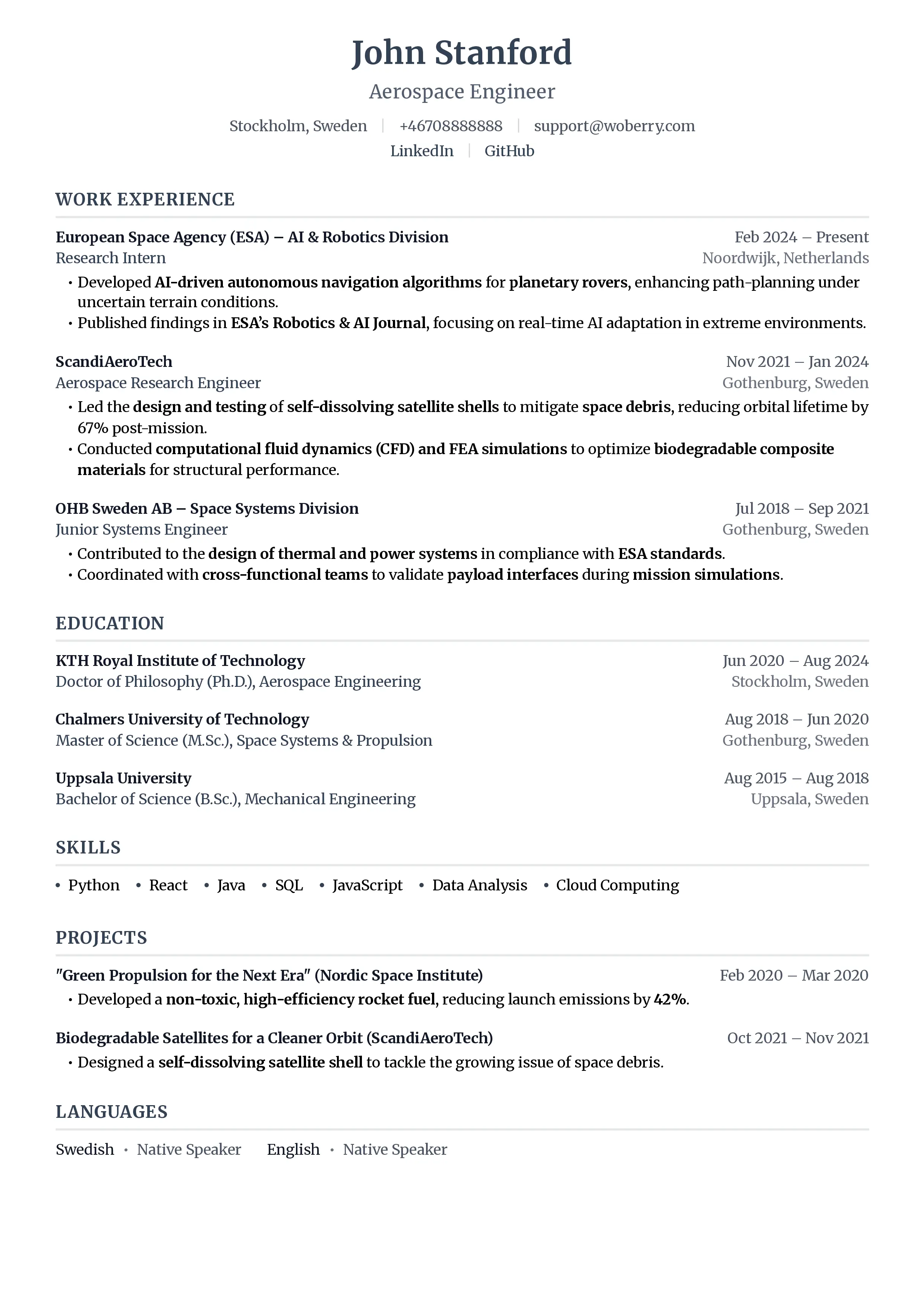
Build a resume that gets interviews
- ATS-optimized templates
- AI-powered writing
- Free to start
No credit card required
You have applied to 40 jobs this month. Your experience fits. Your resume looks sharp. And yet the replies never come, or they arrive three weeks later as a polite "we have decided to move forward with other candidates."
Here is the uncomfortable truth: a human may never have seen your resume. Before a recruiter spends their famous 7.4 seconds scanning it, a piece of software has already read it, scored it, and ranked you against everyone else. That software is the Applicant Tracking System, and learning how it works is the single highest-leverage thing you can do for your job search.
This is the hub guide. It explains the whole machine end to end, then points you to deep dives on each part. Bookmark it.
TL;DR: An ATS parses your resume into structured data, matches it against the job description, and ranks you. You pass by making the file machine-readable, mirroring the job's real keywords, using clean formatting, and proving relevance. Test before you send. Most rejections are mechanical, not personal.
What is an ATS?
An Applicant Tracking System (ATS) is software that employers use to collect, parse, search, and rank job applications before a human reviews them. Over 97% of Fortune 500 companies use one, and most mid-sized companies do too. Popular systems include Workday, Greenhouse, Lever, iCIMS, and Taleo.
The key idea: an ATS does not "read" your resume the way a person does. It converts your document into a database record, fields like name, work history, skills, and education. If it cannot map your content to those fields, that content effectively disappears. We break the mechanics down fully in how ATS systems actually read your resume.
The ATS Pass Framework
After reviewing thousands of resumes, we found that almost every ATS rejection traces back to one of four failures. We call it the ATS Pass Framework, and the rest of this guide is organized around it:
| Pillar | The question the ATS asks | Where people fail |
|---|---|---|
| 1. Parsing | Can I read this file at all? | Columns, tables, images, PDFs from design tools |
| 2. Keywords | Does this person match the job? | Missing the exact terms from the posting |
| 3. Formatting | Can I map content to fields? | Headers in the wrong place, creative fonts, graphics |
| 4. Relevance | How does this person rank vs others? | Generic resume sent to every role |
Fix all four and you move from the rejection pile to the recruiter's screen. Miss one and the rest barely matter.
Pillar 1: Parsing (can the robot read your file?)
Parsing is the foundation. If the ATS cannot extract your text cleanly, your perfect keywords and achievements never get counted.
The most common parsing killers:
- Multi-column layouts. Many parsers read left to right, top to bottom, and scramble two-column resumes into nonsense. See why columns and tables break in ATS.
- Text in headers and footers. Some systems ignore the header and footer regions entirely, so the phone number or title you tucked up there vanishes. More in resume headers and footers and ATS.
- Design-tool exports. A beautiful Canva resume often exports text as images or unusual layers the parser cannot decode. This is why Canva resumes frequently fail ATS.
- The wrong file type. The PDF versus Word debate has a real answer for ATS, and we settle it in ATS: PDF vs Word.
Quotable rule: if a parser cannot turn your resume into plain, ordered text, nothing else on it counts.
Pillar 2: Keywords (speak the machine's language)
Once your resume is parsed, the ATS compares it against the job description. It is looking for the skills, tools, and titles the employer asked for. This is not about gaming the system. It is about describing your real experience in the words the employer actually uses.
A practical workflow:
- Pull the keywords from the posting. The job description is the answer key. Here is how to find the keywords in a job description, and you can paste any posting into our keyword matcher tool to see what you are missing.
- Mirror the exact phrasing. If the posting says "project management," write "project management," not only "managed projects." Synonyms help humans, but ATS keyword matching is often literal. Our keyword strategy guide goes deeper.
- Get the density right. Mention core skills two or three times across your summary, skills section, and bullets, naturally. Read resume keyword density for the sweet spot.
Two traps to avoid:
- Keyword stuffing. Cramming a wall of terms, or worse, hiding white text, gets you filtered or flagged. See why keyword stuffing backfires.
- Believing keyword myths. Not every word matters equally, and some "rules" you have heard are wrong. We bust them in the resume keywords myth.
Also worth knowing: ATS increasingly weighs hard skills versus soft skills differently. "Python" is a filterable hard skill. "Team player" is not.
Pillar 3: Formatting (stay parseable, stay readable)
Formatting sits between the machine and the human. It has to satisfy the parser and still impress the recruiter who reads you next. The good news: the safe choices also look professional.
| Element | ATS-safe choice | ATS-risky choice |
|---|---|---|
| Layout | Single column | Two or three columns |
| Fonts | Calibri, Arial, Georgia, Helvetica | Decorative or condensed display fonts |
| Section titles | "Work Experience", "Skills", "Education" | "Where I've Made Impact", "My Toolkit" |
| Dates | MM/YYYY, consistent | Mixed or graphical timelines |
| Graphics | None, or decorative only | Skill bars, icons, photos carrying meaning |
| File | .docx or a text-based PDF | Image-based PDF, .pages, .jpg |
For the details: ATS-friendly fonts, the best resume format for ATS, and our broader resume formatting guide.
One more dimension humans care about and machines increasingly model: readability. Dense, jargon-packed walls of text score worse. Check yours with our readability score tool and the thinking behind the resume readability index.
Pillar 4: Relevance (how you rank against everyone else)
Passing the parse and matching keywords gets you into the pool. Relevance decides where you sit in it. A resume tailored to the role beats a generic one every time, because the ATS scores the overlap between your resume and that specific posting.
This is also where the market is moving. Modern systems do more than count keywords. They model skills. Read how ATS skills-based filtering works in 2026 and consider whether a skills-based resume format fits your situation, especially if you are switching fields.
The takeaway: tailor every application. It feels slow, but you can tailor a resume without starting from scratch, and a handful of targeted applications beats fifty generic ones.
The myths that quietly cost people interviews
A lot of ATS advice online is fear-based and wrong. Two corrections worth internalizing:
- The ATS does not auto-reject most resumes. It ranks and surfaces them. A recruiter still chooses what to read. We unpack this in the ATS rejection myth.
- A perfect "ATS score" is not the goal. Scores are directional, not a pass-fail gate. Use them to catch mistakes, not to chase 100%.
Believing the myths leads to two bad outcomes: people either give up, or they over-optimize into robotic, stuffed resumes that humans hate. Aim for the middle, a clean resume that reads well to both.
What is changing in 2026: AI screening
The newest systems layer AI on top of keyword matching. They infer skills from context, summarize candidates for recruiters, and rank on semantic relevance rather than exact strings. That sounds scary, but it actually rewards honest, well-written resumes over keyword games. We cover the shift in ATS and AI screening in 2026.
The strategic response is the same as it has always been: describe real, specific accomplishments in the language of the role. AI is better than old parsers at understanding "cut cloud spend 30% by migrating to spot instances," and worse at being fooled by a bag of buzzwords.
Test your resume before you send it
You would not ship code without running it. Do not submit a resume without testing how a machine sees it.
The 12-point ATS pre-submit checklist:
- Single-column layout, no text boxes
- Standard section headings ("Work Experience", "Skills", "Education")
- An ATS-safe font at 10 to 12pt
- Contact details in the body, not the header or footer
- No critical info inside images, icons, or charts
- Saved as .docx or a text-based PDF
- Core keywords from the posting present, in your real phrasing
- Each key skill appears two or three times, naturally
- Dates formatted consistently (MM/YYYY)
- Job titles that map to the target role
- No white-text or hidden keyword tricks
- Copy-pastes cleanly into plain text with nothing scrambled
That last point is the fastest manual test: copy your resume, paste it into a plain text editor, and read it top to bottom. If the order scrambles or text disappears, the ATS sees the same mess.
For a deeper pass, run it through our free ATS resume checker, follow the ATS compatibility testing guide, and see what a real ATS resume score test reveals. When we analyzed 5,000 real resumes for ATS failures, the top problems were almost all mechanical and fixable in minutes.
Frequently asked questions
Do all companies use an ATS?
Nearly all large and mid-sized companies do, and many small ones use lightweight versions through job boards. If you applied through a careers portal or a form, assume an ATS is involved.
Is a PDF or Word document better for ATS?
A text-based PDF is safe with most modern systems, but .docx is the most universally compatible. Avoid image-based PDFs and design-tool exports. Full breakdown in ATS: PDF vs Word.
Will keywords alone get me an interview?
No. Keywords get you matched and ranked, but a recruiter still reads the top results. You need real, specific, quantified achievements to convert a match into an interview.
Does a fancy template hurt my chances?
Often, yes. Columns, graphics, and creative fonts can break parsing. Use a clean, single-column, ATS-tested template and put your creativity into the writing.
What is a good ATS score?
Treat scores as a checklist, not a grade. Anything that flags missing keywords or formatting issues is useful. Chasing a perfect number usually makes a resume worse for humans.
How do I tailor my resume for every job without spending hours?
Start from a strong base resume, then swap in the role's keywords and reorder bullets to match its priorities. Our resume builder and job description analyzer make this a few-minute job.
Your next step
The ATS is not your enemy. It is a filter that rewards clarity, honesty, and relevance, the same things a good recruiter rewards. Make your resume machine-readable, mirror the job's real language, keep the formatting clean, and tailor for relevance. Then test it.
Ready to see how your resume scores right now? Run it through the free ATS resume checker, or build an ATS-optimized resume from a tested template in minutes.
Your resume is your first impression. Make it count.
Join 50,000+ job seekers using ResumeFast to build ATS-optimized resumes that actually get interviews.
No credit card required. Free forever.
Continue Reading
View all articles
Cover Letter vs Resume: Differences and When You Need Both
Resume Writing Guide: How to Write a Resume in 2026
Do Headers and Footers Break ATS Parsing?
Resume Keyword Density: How Often to Repeat Keywords
ATS-Friendly Fonts: Which Fonts Pass Resume Scanners
How to Find Resume Keywords in a Job Description
Build a resume that gets interviews
Ready to build your resume?