
Resume Readability Score: A 4-Part Rubric (RRI)
Score how readable your resume is on four parts: reading level, bullet density, jargon and white space. ResumeFast's rubric, with thresholds and a free tool.

Raman M.
Software Engineer & Founder of ResumeFast

On this page
Build a resume that gets interviews
- ATS-optimized templates
- AI-powered writing
- Free to start
No credit card required
A readable resume is one a recruiter can understand in a quick scan: plain wording, short bullets, little jargon and enough white space. The Resume Readability Index (RRI) is ResumeFast's own 0 to 100 rubric for checking those four things. It is a practical checklist, not a validated study: the weights and thresholds below are our judgment, and we do not claim they predict callbacks.
Part of the complete ATS resume guide. Score yours now with the free resume readability score tool.
Plain language is not "dumbing down". Resumes are scanning documents, and every unnecessary word slows the reader. General readability formulas such as Flesch-Kincaid were built for articles and textbooks and ignore resume-specific factors such as bullet structure and buzzword density, which is the gap this rubric covers.
Why Readability Matters More Than Writing Quality
Before we get into the framework, let's establish why this matters.
Recruiters scan before they read. A 2018 Ladders eye-tracking study reported an average of 7.4 seconds for the first glance (see what the study says and does not say). In that window a recruiter decides whether you are worth a closer look.
Think about what that means. Your carefully crafted summary paragraph? Skimmed. That nuanced description of your role managing cross-functional deliverables across multiple stakeholder ecosystems? Skipped entirely.
The goal of your resume isn't to demonstrate that you're an eloquent writer. It's to transfer the right information to a recruiter's brain as quickly as possible.
Readability is the mechanism that makes this transfer happen. A highly readable resume reduces cognitive load. It lets a recruiter's eyes flow naturally from one data point to the next without getting stuck on dense text, unfamiliar jargon, or walls of unbroken prose.
Here's the uncomfortable truth: if a recruiter has to work hard to understand your resume, they won't. They'll move to the next one.
Introducing the Resume Readability Index (RRI)
The Resume Readability Index is our framework for scoring how easy a resume is to scan, process and act on.
Existing readability formulas like the Flesch-Kincaid Grade Level or the Gunning Fog Index measure general text complexity. They work well for articles and textbooks, but they miss critical factors that make resumes specifically harder or easier to process: bullet structure, visual density, the ratio of meaningful keywords to empty buzzwords.
The RRI fills that gap by measuring four dimensions that directly impact how recruiters experience your resume.
The RRI Formula
RRI = (Reading Level Score x 0.30) + (Bullet Density Score x 0.25) +
      (Jargon Ratio Score x 0.25) + (White Space Score x 0.20)
Each component is scored on a 0-100 scale. The weighted total gives you an overall RRI score from 0 to 100. Higher is better.
Let's break down each component.
Component 1: Reading Level (30% Weight)
We weight this heaviest because wording affects every line of the page.
Optimal reading level: 8th to 10th grade.
That might sound low. But remember, you're not writing an essay. You're writing a scanning document. Simple, direct language communicates faster than complex constructions.
How reading level affects scanning
We do not have callback data by reading level, so we score it by rule of thumb: the lower the grade level, the less effort per line.
| Reading Level | Our rubric reads it as |
|---|---|
| 8th to 10th grade | Easy to scan (full marks) |
| 11th grade | Starting to slow the reader |
| 12th grade and above | Dense; simplify long sentences and words |
Every grade above 10th tends to bring longer words and denser sentences, which is the reason for the penalty.
How to Check Your Reading Level
Two free options:
- Hemingway Editor (hemingwayapp.com): Paste your resume text, and it grades the reading level instantly. Highlights complex sentences in yellow and very complex ones in red.
- Microsoft Word: Go to File > Options > Proofing > check "Show readability statistics." After running spell check, you'll see Flesch-Kincaid Grade Level.
Scoring
- 8th grade = 100 points
- 9th grade = 90 points
- 10th grade = 85 points
- Each grade above 10th deducts 15 points
- Below 7th grade also loses points (too simple can signal lack of substance)
Before and After: Reading Level
Before (12th-grade level):
Orchestrated the comprehensive implementation of an enterprise-wide data governance framework, necessitating extensive cross-departmental collaboration to establish standardized protocols for data quality assurance and regulatory compliance adherence.
After (9th-grade level):
Built a company-wide data governance system by working with 6 departments to create shared data quality standards. Achieved full regulatory compliance within 8 months.
Same accomplishment. The second version is half the length, uses simpler words, and actually includes a measurable result. A recruiter can process it in one glance.
Quick Fixes for Reading Level
- Replace long words with short ones: "utilize" becomes "use," "facilitate" becomes "help," "demonstrate" becomes "show"
- Break compound sentences into two shorter ones
- Delete filler phrases: "in order to," "for the purpose of," "as a means of"
- Cut adverbs: "significantly improved" becomes "improved by 40%"
Component 2: Bullet Density (25% Weight)
Bullet points are the fundamental unit of resume information. Their structure determines whether a recruiter processes your experience or skips it entirely.
Optimal: 3 to 5 bullets per role, each 1 to 2 lines long.
Why Bullet Length Matters
Bullets longer than four lines are hard to scan. A reader skimming for results is unlikely to work through a paragraph disguised as a bullet, and bullets create visual anchors where paragraphs create walls. Keep each bullet to one or two lines with the result first.
Scoring
| Bullet Structure | Score |
|---|---|
| 3-5 bullets per role, each 1-2 lines | 100 |
| 3-5 bullets per role, some 3 lines | 80 |
| 6-8 bullets per role, mixed lengths | 60 |
| Paragraphs instead of bullets | 30 |
| 2 or fewer bullets per role | 40 |
| 9+ bullets per role | 35 |
Before and After: Bullet Density
Before (paragraph format, low density score):
In my role as Marketing Manager, I was responsible for developing and executing multi-channel marketing campaigns across digital and traditional media platforms. I managed a team of four marketing coordinators and two graphic designers, overseeing all content creation, social media management, email marketing, and paid advertising initiatives. I also maintained relationships with three external agencies and coordinated quarterly brand reviews with senior leadership. During my tenure, I increased lead generation by 45% and reduced cost per acquisition by 22% through strategic reallocation of the advertising budget.
After (optimized bullets, high density score):
Marketing Manager | Acme Corp | 2023-2025
- Grew lead generation 45% by launching targeted campaigns across 4 digital channels
- Cut cost per acquisition by 22% through strategic ad budget reallocation
- Managed 6 direct reports (4 coordinators, 2 designers) across content, social, and email
- Coordinated 3 external agency relationships and quarterly brand reviews with leadership
Four bullets. Each one line. Every bullet starts with a strong action verb and includes a measurable result. A recruiter can scan this in seconds.
The Right Number of Bullets
A common question: how many bullets per role? It depends on relevance and how much space you have. Here's a practical rule:
- Most recent role: 4-5 bullets (this is where recruiters spend the most time)
- Previous roles: 3-4 bullets each
- Early career roles: 2-3 bullets, or combine into a single line
If you find yourself writing 8+ bullets for one position, you're probably including tasks instead of achievements. Cut the tasks. Keep the results.
Component 3: Jargon Ratio (25% Weight)
Not all industry language is created equal. There's an important distinction between keywords and jargon, and confusing them can torpedo your resume.
Keywords are industry-standard terms that appear in job postings and that recruiters actively search for. Examples: "Python," "project management," "A/B testing," "HIPAA compliance."
Jargon is insider language, buzzwords, and corporate-speak that sounds impressive but communicates nothing specific. Examples: "synergized cross-functional paradigms," "leveraged best-in-class methodologies," "drove operational excellence."
The rule: Keywords belong on your resume. Buzzwords don't.
The Buzzword Problem
Buzzwords create two problems. First, they're vague. "Drove operational excellence" tells a recruiter nothing about what you actually did. Second, they signal a lack of substance. When a recruiter sees a resume loaded with buzzwords, their assumption is that you're padding because you don't have real accomplishments to showcase.
Scoring
Calculate your jargon ratio: (buzzword count / total word count) x 100
| Jargon Ratio | Score |
|---|---|
| Under 1% | 100 |
| 1-2% | 85 |
| 2-3% | 65 |
| 3-5% | 40 |
| Over 5% | 20 |
Buzzwords to Eliminate
Here are the most common offenders. If any of these appear on your resume, replace them with specific, measurable language:
| Buzzword | What to Write Instead |
|---|---|
| Leveraged | Used, Applied, Implemented |
| Synergy / Synergized | Collaborated, Combined, Partnered |
| Paradigm | Approach, Method, Framework |
| Ecosystem | Platform, Network, System |
| Ideate / Ideation | Brainstormed, Designed, Proposed |
| Operationalize | Launched, Implemented, Built |
| Best-in-class | Top-performing, Highest-rated (with data) |
| Thought leadership | Published 12 articles, Spoke at 3 conferences |
| Move the needle | Increased revenue by 15% |
| Circle back | (just delete this entirely) |
Before and After: Jargon Ratio
Before (high jargon, low score):
- Leveraged best-in-class methodologies to drive operational excellence across the organization
- Synergized cross-functional teams to ideate and operationalize paradigm-shifting initiatives
- Established thought leadership in the digital transformation ecosystem
After (zero jargon, high score):
- Reduced order processing time by 35% by standardizing workflows across 4 departments
- Partnered with engineering, design, and sales to launch 3 product features in 6 months
- Published 8 articles on digital strategy and presented at 2 industry conferences
The second version says something real. The first version says nothing at all, just louder.
Component 4: White Space (20% Weight)
White space is the silent hero of resume readability. It determines whether your resume feels like a clean, organized document or a dense wall of text that makes recruiters reach for their next coffee.
Optimal margins: 0.5 to 1 inch. Below 0.5 inches, text feels cramped and overwhelming. Above 1 inch, you're wasting valuable space.
Optimal line spacing: 1.0 to 1.15. Single spacing is fine for resumes, but going tighter than 1.0 creates a document that feels oppressive.
Section spacing: Clear visual breaks between each section. A recruiter should be able to identify "Education," "Experience," and "Skills" sections at a glance without reading a single word.
Why White Space Matters
Think of white space as the "breathing room" on your resume. Dense documents cause what psychologists call cognitive overload. When the brain encounters a wall of unbroken text, it doesn't engage. It retreats.
Document-design guidance generally favors generous spacing for scannable pages, and a resume that looks dense when you squint at it from arm's length is hard to scan.
Scoring
| White Space Element | Good (100) | Acceptable (70) | Poor (30) |
|---|---|---|---|
| Margins | 0.5-1 inch | 0.3-0.5 inch | Under 0.3 inch |
| Line spacing | 1.0-1.15 | 0.9-1.0 | Under 0.9 |
| Section breaks | Clear gaps | Minimal gaps | No visual separation |
| Overall density | 40-60% text coverage | 60-75% text coverage | 75%+ text coverage |
Take the average across all four elements for your White Space Score.
Before and After: White Space
Before (cramped layout):
Imagine a resume with 0.3-inch margins, no spacing between sections, and text crammed edge to edge. Every section runs into the next. The experience section has 8 bullet points per role, each running 3 lines. Your eyes don't know where to land.
After (breathing room):
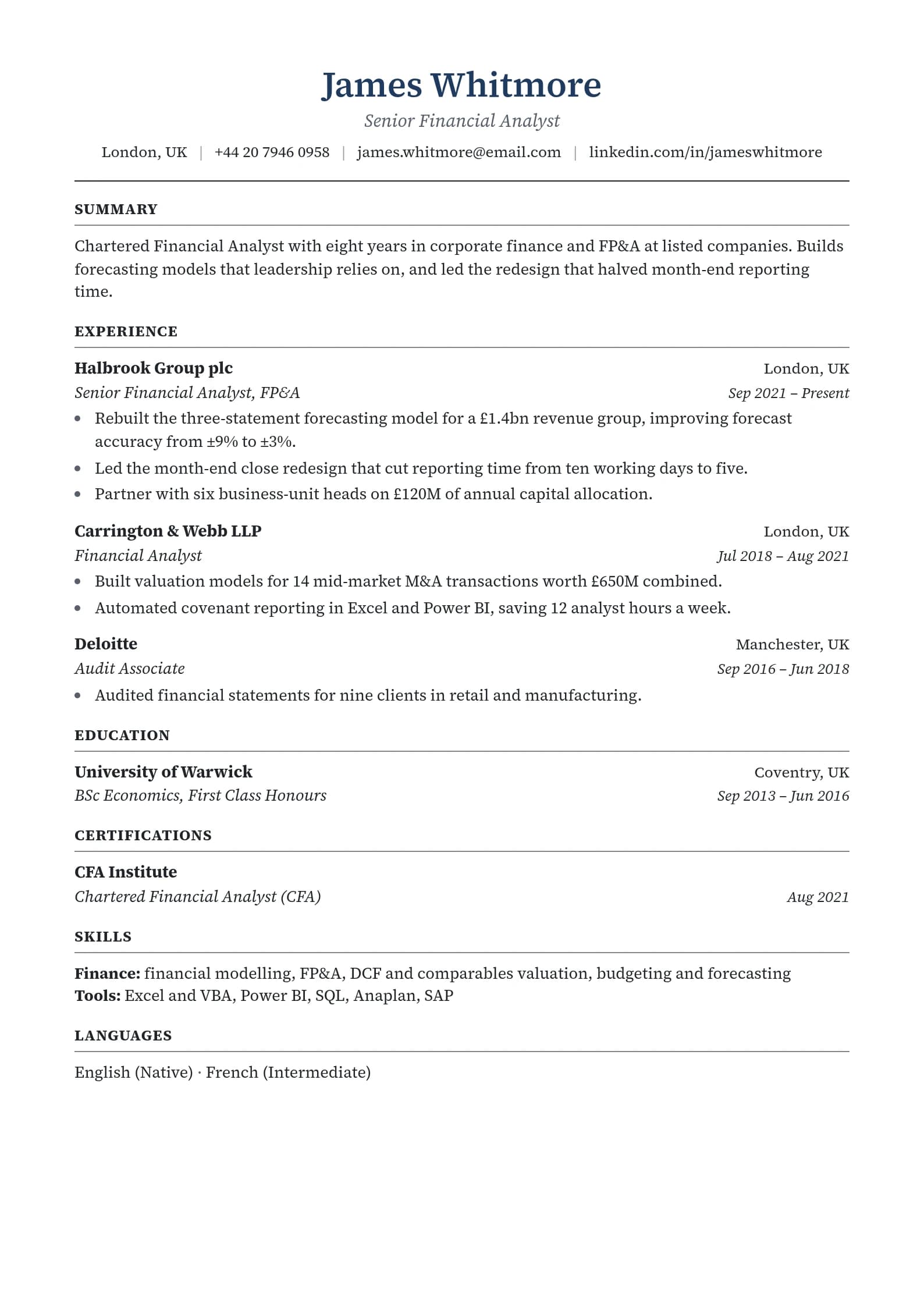
Now picture the same content with 0.75-inch margins, a clear line of space between each section, and a subtle horizontal rule separating Experience from Education. Bullet points are 1-2 lines each. Section headers are bold and slightly larger. Your eyes flow naturally from top to bottom.
The content might be identical. The second version gets read. The first gets skipped.
RRI Score Interpretation
Once you've scored each component, apply the weights and add them up:
RRI = (Reading Level x 0.30) + (Bullet Density x 0.25) +
      (Jargon Ratio x 0.25) + (White Space x 0.20)
Here's what your total score means:
| Score | Rating | What It Means |
|---|---|---|
| 85-100 | Excellent | Recruiter-optimized, easy to scan. Your resume communicates efficiently and respects the reader's time. |
| 70-84 | Good | Minor adjustments needed. You're close, but small tweaks to one or two components will make a noticeable difference. |
| 50-69 | Needs Work | Significant readability barriers. A reader has to spend extra effort to process your resume. |
| Below 50 | Poor | Major overhaul recommended. Your resume's structure is making it hard to scan. |
Treat the bands as guidance for where to spend editing time, not as a prediction of results.
Quick Self-Assessment Checklist
You don't need special tools to get a rough sense of your RRI. Run through this checklist:
- Reading level is at or below 10th grade (check with Hemingway Editor)
- No bullet points longer than 2 lines
- Each role has 3 to 5 bullet points
- Zero buzzwords that lack concrete meaning
- At least 0.5-inch margins on all sides
- Clear visual separation between every section
- Every bullet starts with an action verb
- Numbers and metrics appear in at least 50% of bullets
If you checked all eight boxes, your RRI is likely in the "Good" to "Excellent" range. Each unchecked box suggests a specific area to improve.
Full Resume Readability Makeover: Before and After
Let's put it all together with a complete role entry.
Before (estimated RRI: 42)
Senior Project Manager XYZ Technologies, Inc. | January 2021 - Present
In my capacity as Senior Project Manager, I was responsible for leveraging cross-functional synergies to operationalize mission-critical initiatives across the enterprise technology landscape. I managed a diverse team of professionals and facilitated the ideation and execution of paradigm-shifting digital transformation projects that drove operational excellence and established the organization as a thought leader in the industry. My work included extensive stakeholder management, budgetary oversight, vendor negotiations, risk assessment and mitigation strategies, and the development of comprehensive project documentation. I also spearheaded the implementation of Agile methodologies across three development teams, resulting in improved efficiency and accelerated time-to-market for key deliverables.
What's wrong: 12th-grade+ reading level. One giant paragraph instead of bullets. Packed with buzzwords (leveraging, synergies, operationalize, paradigm-shifting, thought leader). No white space. No measurable results except a vague mention of "improved efficiency."
After (estimated RRI: 91)
Senior Project Manager XYZ Technologies | 2021 - Present
- Led 3 digital transformation projects ($2.4M total budget) from planning to launch, all delivered on time
- Managed 12-person cross-functional team across engineering, design, and QA
- Rolled out Agile practices across 3 dev teams, cutting sprint cycle time by 30%
- Negotiated vendor contracts saving $180K annually while maintaining service quality
- Reduced project risk incidents by 45% through standardized assessment framework
What changed: 9th-grade reading level. Five focused bullets, each 1 line. Zero buzzwords. Every bullet has a specific number or outcome. Clean visual structure with breathing room.
Same person. Same job. Completely different readability. The "After" version transfers more useful information in less space, with less effort required from the reader.
Frequently Asked Questions
What reading level should my resume be?
Aim for 8th to 10th grade. This isn't about "dumbing down" your resume. It's about using clear, direct language that communicates efficiently. A 9th-grade reading level uses short sentences, common words, and active voice. That's exactly what recruiters need when they're scanning hundreds of documents.
How do I check my resume's reading level?
The quickest method is Hemingway Editor (hemingwayapp.com), which is free. Paste your resume text and it will display the grade level instantly. It also highlights overly complex sentences so you know exactly where to simplify. Microsoft Word has built-in readability statistics under File > Options > Proofing, though the interface is less intuitive.
Are industry-specific terms considered jargon?
No. There's a clear line between industry keywords and empty jargon. "Kubernetes," "GAAP compliance," "patient triage," and "A/B testing" are keywords. They're specific, meaningful, and likely appear in job postings. "Leveraged synergies," "drove excellence," and "paradigm shift" are jargon. They could mean anything, which means they communicate nothing. Keep the keywords. Cut the buzzwords.
Does white space really matter that much?
Yes, for scanning. White space carries 20% of the RRI because a page that looks dense is harder to take in quickly. We do not claim a measured effect size. If your resume looks "dense" when you squint at it from arm's length, you have a white space problem.
Can a resume be too simple?
It can, though this is rare. A resume written at a 5th-grade level with only 1-2 word bullets ("Did sales." "Made calls.") would score poorly on substance even if it's technically "readable." The RRI accounts for this. Reading levels below 7th grade lose points, and bullet points with fewer than 2 per role score low on Bullet Density. The goal is clear and specific, not oversimplified.
What to Do With Your Score
Calculating your RRI gives you a diagnostic tool. Instead of vaguely feeling like your resume "needs work," you know exactly which dimension is dragging your score down.
- Low Reading Level score? Run your text through Hemingway Editor and simplify the highlighted sentences.
- Low Bullet Density score? Convert paragraphs to bullets, trim bullets over 2 lines, and consolidate roles with 8+ bullets.
- Low Jargon Ratio score? Search for every buzzword on the elimination list and replace with specific, measurable language.
- Low White Space score? Increase margins to 0.75 inches, add spacing between sections, and reduce bullet count per role.
If you want to skip the manual work, paste your text into the free resume readability score tool, or build in the ResumeFast resume builder, whose templates use clean single-column layouts and generous spacing. To check how a parser reads the file, use the ATS checker.
The Resume Readability Index scores resumes on a 0-100 scale across four dimensions: Reading Level, Bullet Density, Jargon Ratio, and White Space. Use it to diagnose where your resume is losing readers, fix the specific issues, and present your experience in the clearest possible light.
Because the best resume isn't the one that sounds the most impressive. It's the one that's easiest to read.
Want to score your resume right now? Use our free resume readability score tool for an RRI score with a breakdown across all four dimensions.
Your resume is your first impression. Make it count.
Build an ATS-optimized resume that gets read, with AI help on every section.
No credit card required. Your first PDF or Word download is free; after that, Pro is $6.95 a month.
Continue Reading
View all articles
Career Objective for Freshers: 60+ Examples to Copy (2026)

Resume for Freshers: Format, Skills and Examples (2026)

The Complete ATS Resume Guide (2026)

Does ATS Read Headers and Footers? Where Contact Info Goes

ATS-Friendly Fonts: Safe Resume Fonts and Sizes

How to Extract Keywords From a Job Description
Build a resume that gets interviews
Ready to build your resume?