Do Headers and Footers Break ATS Parsing?
Putting your contact info in the document header can make it vanish in an ATS. Learn what belongs in the body and how to lay it out safely.

Raman M.
Software Engineer & Career Coach

On this page
Build a resume that gets interviews
- ATS-optimized templates
- AI-powered writing
- Free to start
No credit card required
You spent an afternoon making your resume look sharp. You tucked your name, phone number, and email into a clean header at the very top, just like a letterhead. It looks professional. Then you apply to a dozen jobs and never hear back, not even an auto-rejection. There is a frustrating possibility worth checking: the recruiter may have opened your application and found a resume with no way to contact you.
Here is the direct answer. Some Applicant Tracking Systems ignore or mis-read content placed in a document's true header or footer region, which is the special Word or Google Docs zone that repeats on every page. When that happens, critical details like your phone number, email, or even your name can get dropped before a human ever sees them. The safe rule is simple: keep every important piece of information inside the main body of the document, not in the header or footer object.
The trap is the difference between "the top of the page" and a "header object"
This is where people get tripped up, because two very different things share the word "header."
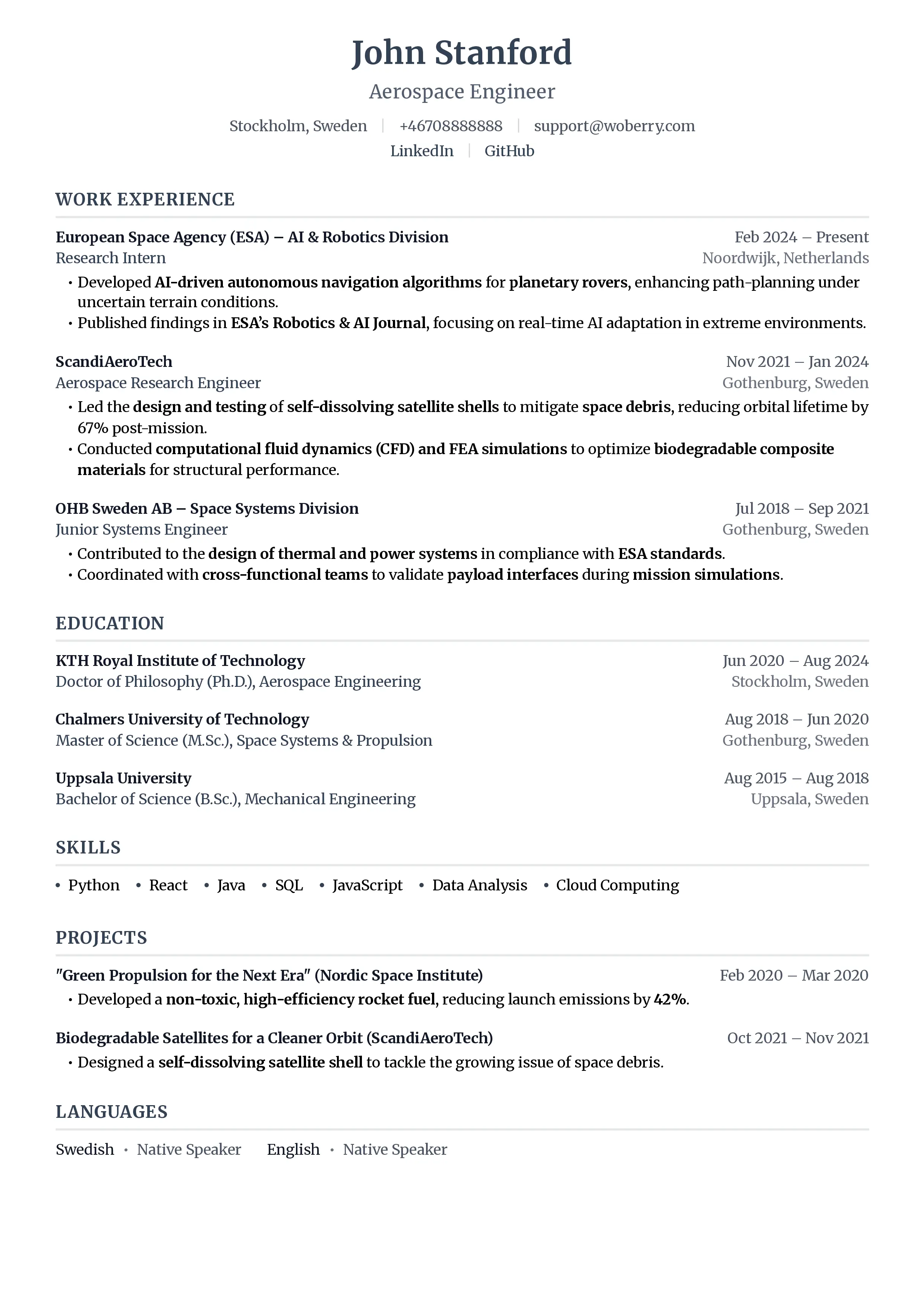
There is the visual top of your page, the first few lines where your name and contact details usually sit. That area is completely fine, as long as the text living there is ordinary body text. An ATS reads it like any other paragraph.
Then there is a true document header, a special object you create when you double-click into the margin in Microsoft Word, or use Insert then Header in Google Docs. The same applies to footers at the bottom. This content is stored separately from the main text flow. It repeats on every page automatically. And that separate storage is exactly the problem. Older or stricter ATS parsers walk through the main body stream and never open the header or footer container, so anything inside it gets skipped.
So the headline you see at the top of a printed resume is not the issue. The issue is how you built it. If you typed your name into a header object to keep it pinned to the page, you may have hidden your most important line from the software doing the first round of screening. Given that up to 75% of resumes are filtered before a human sees them, you do not want to hand the parser a reason to drop your contact info.
What is safe and what is risky: a placement table
Use this table as a quick reference next time you open your resume. The question is always the same: is this living in a header or footer object, or is it body text?
| Item | Safe in Header/Footer? | Where It Should Go |
|---|---|---|
| Your name | No | First line of the document body |
| Phone number | No | Contact line in the body, near the top |
| Email address | No | Contact line in the body, near the top |
| LinkedIn URL | No | Contact line in the body, as plain text |
| Section titles (Experience, Skills) | No | Body text, styled as headings |
| Page numbers | Usually harmless | Footer is fine, but skip them on 1-2 pages |
The pattern is clear. Anything a recruiter or parser actually needs to read and act on belongs in the body. The only thing that is genuinely safe in a footer is a page number, and even that is optional.
Page numbers in footers: harmless but usually pointless
Page numbers are the one exception people ask about. A page number sitting in a footer rarely causes parsing trouble, because no parser is hunting for "Page 2 of 3" as a meaningful field. It is just noise the system ignores.
The real question is whether you need them at all. On a one-page or two-page resume, page numbers add nothing. The reader can see how many pages there are. They take up space and add visual clutter for zero benefit. Reserve them for longer documents like an academic CV that runs four or more pages, where a reviewer might actually lose their place. For a standard resume, skip them.
How to move contact info into the body
If you suspect your details are stuck in a header object, the fix takes about two minutes.
- Open your resume and double-click into the header area at the top. If your name and contact info highlight as a separate editable region, that confirms they are in a header object.
- Select that text and delete it from the header.
- Click into the very first line of the main document body and retype your name, phone, email, and LinkedIn URL there as normal text.
- Style it with font size and bold to look like a heading. Visually it will look identical. Structurally it is now readable.
That is the whole fix. The resume looks the same to a human, but now a parser can find you.
The 30-second verification step
You do not have to guess whether your header survived. There is a fast test that mimics what a basic parser does.
Open your resume, press Ctrl+A or Cmd+A to select all, copy everything, then paste it into a plain text editor like Notepad or TextEdit. Plain text strips out formatting and, crucially, often drops content that lives in header and footer objects, just like a stripped-down ATS would.
Now read what landed in the plain text file. Is your name there? Your phone and email? If they vanished or look scrambled, that is your warning sign that the information was trapped in a header object. If everything important shows up cleanly in order, your layout is safe. For a more thorough check, see our guide on how to test your resume for ATS compatibility, or run your file through ResumeFast's ATS Checker to catch issues automatically.
One more layout decision interacts with all of this: the file format you export. A header object can behave differently depending on whether you save as PDF or Word, so it is worth reading PDF vs Word for ATS before you submit.
Frequently Asked Questions
Does an ATS read headers and footers in a resume?
It depends on the system, and that uncertainty is exactly why you should not risk it. Modern ATS platforms are better at reading header and footer objects than they used to be, but many still skip them entirely. Because you cannot know which system a given employer uses, treat header and footer objects as unreadable and keep all important information in the document body.
Where should I put my contact information on a resume?
Put your name, phone number, email, and LinkedIn URL in the first few lines of the main body of the document, styled as plain body text. It will look exactly like a header visually, but a parser can read it. Never place contact details in a Word or Google Docs header object.
Are page numbers in the footer bad for ATS?
No, page numbers in a footer are usually harmless because parsers ignore them. The catch is that they are also unnecessary on a one-page or two-page resume. Leave them off short resumes and reserve them for long multi-page CVs.
How do I check if my header is breaking ATS parsing?
Select all the text in your resume, copy it, and paste it into a plain text editor like Notepad. If your name, phone, or email disappears or comes out scrambled, that content was likely stuck in a header object and an ATS may drop it the same way. Move those details into the body and test again.
Your resume is your first impression. Make it count.
Join 50,000+ job seekers using ResumeFast to build ATS-optimized resumes that actually get interviews.
No credit card required. Free forever.
Continue Reading
View all articles
The Complete ATS Resume Guide (2026)

Resume Keyword Density: How Often to Repeat Keywords

ATS-Friendly Fonts: Which Fonts Pass Resume Scanners

How to Find Resume Keywords in a Job Description

Why Columns and Tables Break Your Resume in ATS

How to Test Your Resume for ATS Compatibility (2026)
Build a resume that gets interviews
Ready to build your resume?