ATS Keywords: The Complete Guide to Beating Filters
Learn how to find, place, and balance resume keywords so your application passes ATS filters in 2026. A complete keyword optimization guide.

Raman M.
Software Engineer & Career Coach
On this page
Build a resume that gets interviews
- ATS-optimized templates
- AI-powered writing
- Free to start
No credit card required
You tailored your resume. You hit "submit." Then nothing. No call, no email, not even a polite rejection. After the tenth time, you start to wonder if anyone is reading it at all. Here's the uncomfortable truth: for a lot of those applications, no human ever did.
That's because of the software sitting between you and the hiring manager: the Applicant Tracking System. Up to 75% of resumes are filtered before a human sees them, and one of the biggest reasons is keywords. Not the right font. Not your years of experience. The specific words on the page. This guide is the full playbook for getting them right.
What ATS keywords actually are
An ATS keyword is a specific word or phrase that an Applicant Tracking System looks for on your resume to decide whether you match a job. These keywords come straight from the job description: the skills, tools, job titles, certifications, and qualifications the employer says they need.
When you apply, the ATS parses your resume into structured data and compares it against the requirements the recruiter loaded for that role. The closer your language matches the job posting's language, the higher your match score, and the more likely you are to land in the "review" pile instead of the "archive" pile.
Think of it this way: a recruiter spends roughly 7.4 seconds on an initial scan once your resume reaches them. But before that scan can happen, the ATS has to surface your resume in the first place. Keywords are how you earn that 7.4 seconds.
How ATS keyword matching really works
There are two ways a modern ATS matches keywords, and understanding the difference changes how you write.
Exact match is the old, literal method. The system searches for the precise string. If the job says "project management" and your resume says "managed projects," a pure exact-match system may not connect them. This is why mirroring the job description's exact phrasing still matters in 2026.
Semantic match is newer. Some systems use language models to recognize that "JavaScript" and "JS" are related, or that "led a team" implies leadership. This is smarter, but you cannot count on every employer running a sophisticated parser. A small company might use a basic system that only does exact matching.
The safe strategy: write for exact match, and let semantic match be a bonus. Use the employer's exact words, then add natural variations. You lose nothing by being literal, and you gain coverage across every type of system. For a deeper look at the mechanics, see how ATS systems actually work.
Write for exact match, and let semantic match be a bonus. Use the employer's exact words first, then add natural variations.
The 4-Layer Keyword Map (our framework)
Most advice treats keywords as one undifferentiated blob: "add keywords from the job description." That's why people end up stuffing a wall of skills at the bottom and wondering why it doesn't work. Keywords are not all the same type, and they don't all belong in the same place.
Here's the framework we use at ResumeFast to structure keyword optimization. We call it The 4-Layer Keyword Map. Every strong resume covers all four layers.
Layer 1: Exact job-title keywords
These are the role titles the employer uses. If the posting is for a "Senior Data Analyst," that exact phrase should appear on your resume, ideally in your summary and as a current or recent title.
Why it matters: recruiters and ATS filters often search by title first. If the job is "Customer Success Manager" and your resume only says "Account Manager," you may never surface in a title search, even if the work is nearly identical. When your real title differs, add a clarifying line such as "Account Manager (Customer Success function)" so the keyword is present and honest.
Examples: Senior Data Analyst, Registered Nurse, Frontend Engineer, Digital Marketing Specialist.
Layer 2: Hard-skill and tool keywords
These are the concrete, teachable skills and the specific tools, platforms, and technologies the job requires. They are the densest, highest-value keyword layer because they are easy for any ATS to match exactly.
Examples: Python, Salesforce, SQL, Google Analytics, Figma, financial modeling, wound care, payroll processing, A/B testing.
Pull every hard skill and named tool from the posting. These are non-negotiable: if the job lists "Tableau" as required and it's nowhere on your resume, you fail that requirement check. To understand the line between these and softer traits, read hard skills vs soft skills for ATS.
Layer 3: Certification and qualification keywords
These are credentials, licenses, degrees, and formal qualifications, both the spelled-out name and the acronym.
Examples: PMP (Project Management Professional), RN (Registered Nurse), CPA, AWS Certified Solutions Architect, Six Sigma Green Belt, Bachelor of Science in Computer Science.
Recruiters frequently filter on these as hard gates. A nursing role may auto-reject anyone without "RN" or "BSN" on the page. Always include both the acronym and the full term so you match whichever version the ATS searches for. More on that pairing below.
Layer 4: Action and impact verbs
These are the verbs that frame your achievements: led, built, reduced, launched, negotiated, optimized, designed. They don't usually act as hard filters, but they do two things that matter. They signal seniority and ownership to the human reader, and they give your hard-skill keywords context, which is what separates a real qualification from a keyword dump.
Examples: Spearheaded, automated, scaled, mentored, reduced, generated, streamlined.
A resume with Layers 1 through 3 but no Layer 4 reads like a parts list. A resume with all four reads like a track record.
Keyword types at a glance
| Keyword type | Example | Where to place it | How the ATS uses it |
|---|---|---|---|
| Job-title (Layer 1) | "Senior Data Analyst" | Summary, job titles | Title search and role matching |
| Hard skill / tool (Layer 2) | "SQL", "Salesforce" | Skills section, work bullets | Exact requirement matching |
| Certification (Layer 3) | "PMP", "RN" | Certifications, summary | Hard gate / qualification filter |
| Action verb (Layer 4) | "Reduced", "Launched" | Start of work bullets | Context and ranking signal |
Where to place keywords (and why it matters)
Knowing your keywords is half the battle. Putting them in the right places is the other half, because context beats raw frequency. An ATS records where a keyword appears, and a human reader weighs a skill far more heavily when it's tied to a result.
Skills section. This is your keyword anchor. List your Layer 2 hard skills and tools here in a clean, parseable format (simple text, not graphics or tables that parsers choke on). This guarantees an exact-match hit even if the skill also lives in a bullet.
Work experience bullets. This is where keywords earn credibility. A skill listed in your skills section says "I know this." The same skill inside an achievement bullet says "I used this to deliver a result." Always demonstrate your top keywords in context here.
Professional summary. Your first three or four lines should fold in your target job title (Layer 1), your two or three strongest hard skills (Layer 2), and any gating certification (Layer 3). This front-loads your most important keywords where both the parser and the recruiter look first.
What to avoid: white-text keywords, keywords hidden in headers or footers, and keywords crammed into a table or text box. Many parsers ignore or scramble these. The right resume format for ATS keeps everything in clean, single-column body text.
How many times should a keyword appear?
Use a keyword as many times as it naturally fits, with the most important ones appearing two to three times across different sections. There's no magic number, and chasing one is how people get into trouble.
The goal is coverage, not repetition. A keyword that appears once in your skills section, once in a work bullet, and once in your summary is in great shape. The same keyword jammed in fifteen times looks like manipulation to a human and triggers spam heuristics in smarter systems. For the full breakdown, see our guide on the right keyword density.
Here's our placement and density guidance:
| Keyword priority | Where to use it | How often | Notes |
|---|---|---|---|
| Critical (required skill or cert) | Skills + summary + 1 work bullet | 2 to 3 times | Spread across sections, never repeated in one line |
| Important (preferred skill) | Skills + 1 work bullet | 1 to 2 times | Show in context if you can |
| Nice-to-have (bonus skill) | Skills section only | 1 time | A single clean mention is enough |
| Job title (Layer 1) | Summary + relevant titles | 1 to 2 times | Mirror the posting's exact wording |
Overdoing it is its own failure mode. If you find yourself repeating the same word to hit a quota, stop. That's keyword stuffing, and it backfires by hurting readability and tripping spam filters.
Pair acronyms with their spelled-out form
Always write both the acronym and the full term at least once: "Search Engine Optimization (SEO)." This is the single highest-leverage keyword tactic, and almost nobody does it consistently.
The reason is simple: you don't know which version the ATS is searching for. One recruiter loads "SEO" as the keyword. Another loads "Search Engine Optimization." If your resume only has one, you match one recruiter and miss the other. Write both once, and you're covered no matter what they searched.
Do this for every credential and technical acronym:
- Search Engine Optimization (SEO)
- Project Management Professional (PMP)
- Customer Relationship Management (CRM)
- Registered Nurse (RN)
- Key Performance Indicator (KPI)
After the first pairing, you can use whichever form reads more naturally for the rest of the resume.
Before and after: keyword integration done right
Here's the difference between a keyword that's merely present and a keyword that's working. Same person, same job, two ways of writing it.
Before (weak, no real keyword integration):
Responsible for marketing campaigns and improving website traffic. Worked with analytics tools.
This is vague. "Analytics tools" matches nothing specific. There's no metric, no named platform, no action verb. An ATS finds almost nothing to score, and a recruiter learns almost nothing.
After (strong, keywords in context):
Led 12 Search Engine Optimization (SEO) campaigns using Google Analytics and Ahrefs, growing organic traffic 140% in 9 months and generating 300+ qualified leads per quarter.
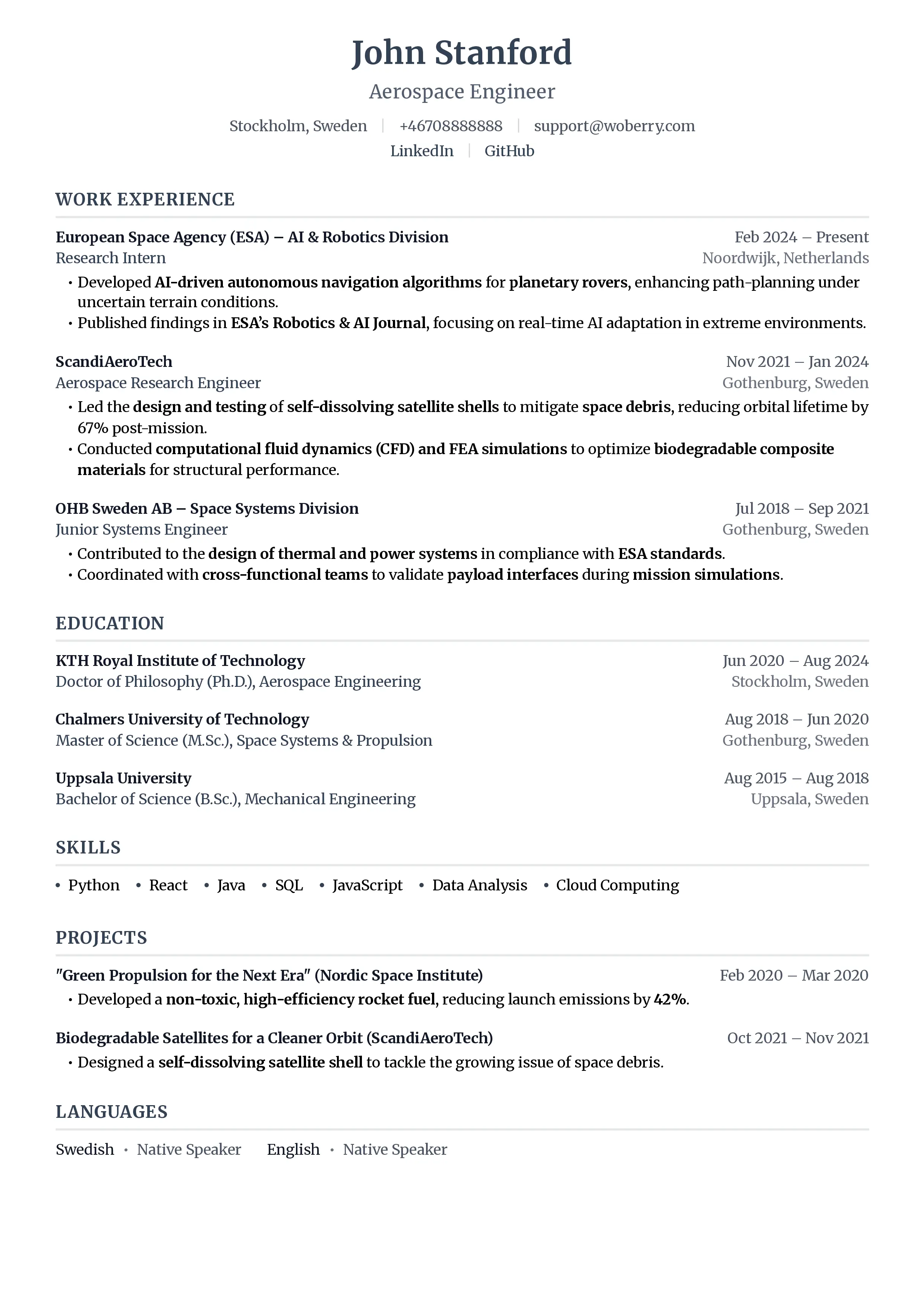
Look at what changed. The Layer 4 action verb ("Led") opens the line. Layer 2 hard-skill keywords ("Search Engine Optimization (SEO)," "Google Analytics," "Ahrefs") appear in context, with the acronym paired. And the result is quantified with real numbers. This single bullet matches more keywords than the entire weak version, and it proves competence instead of just claiming it.
How to find the right keywords
You can't optimize for keywords you haven't identified. The source is always the job description, every single time. Read it closely and extract:
- Every named tool, platform, and technology (Layer 2)
- Every required skill and qualification (Layers 2 and 3)
- The exact job title and any alternate titles (Layer 1)
- Repeated phrases, which signal the employer's priorities (if "cross-functional collaboration" appears three times, it matters)
Pay special attention to the "Requirements" and "Qualifications" sections, since those map most directly to ATS filters. The "Responsibilities" section tells you which action verbs and outcomes to highlight. For a step-by-step method, read how to find keywords in a job description.
A faster route: paste the job description and your resume into ResumeFast's ATS Checker. It surfaces the keywords you're missing, flags the ones you've overused, and shows your match score against the posting, so you're optimizing against data instead of guessing.
Keywords are necessary, not sufficient
One important caveat. Keywords get you past the filter, but they don't get you the job. A resume that's nothing but keywords reads like spam to the human who picks it up next. The point of the resume keywords myth is that keyword optimization is a floor, not a ceiling.
So treat keywords as the price of admission. Cover all four layers, place them in context, pair your acronyms, and then make sure the actual content, the achievements and the numbers, would impress a person. Beat the machine, then win the human.
Frequently asked questions
How many keywords should my resume have?
There's no fixed count. Aim to match every required skill and qualification from the job description, then add the preferred ones you genuinely have. For a typical role that's usually 15 to 25 distinct keywords spread across your skills section, work bullets, and summary. Coverage matters more than a target number.
Should I copy keywords exactly from the job description?
Yes, for the exact phrasing of skills, tools, and titles. Many systems still use exact matching, so "project management" should appear as "project management," not just "managed projects." You can add natural variations on top, but always include the literal version first.
Where is the best place to put keywords on a resume?
Spread them across three places: the skills section (for guaranteed exact-match hits), work experience bullets (for context and credibility), and the professional summary (to front-load your most important ones). Avoid headers, footers, text boxes, and white-text tricks, which parsers often ignore.
Do I need to spell out acronyms?
Yes. Write both the acronym and the full term at least once, like "Customer Relationship Management (CRM)," because you don't know which version the ATS is searching for. Pairing them guarantees a match either way and costs you nothing.
Can too many keywords hurt my resume?
Yes. Repeating the same keyword to hit a quota is keyword stuffing. It hurts readability for the human reader and can trigger spam heuristics in smarter systems. Use each keyword as many times as it naturally fits, with critical ones appearing two to three times across different sections, no more.
Will keywords alone get me an interview?
No. Keywords get you past the ATS filter, but the human who reviews your resume next cares about results and clarity. Cover your keywords, then make sure your achievements and numbers would impress an actual person.
Conclusion: build the map, then check it
Keyword optimization isn't guesswork once you have a system. Cover all four layers of The 4-Layer Keyword Map: the exact job title, the hard skills and tools, the certifications, and the action verbs that tie it all together. Mirror the employer's exact wording, pair every acronym with its full form, and prove your top keywords inside achievement bullets instead of dumping them in a list.
Then verify it. Run your resume and the job description through ResumeFast's ATS Checker to see exactly which keywords you're matching, which you're missing, and whether you've overdone any. It turns the strategy in this guide into a concrete checklist for the specific job you're chasing, so your next "submit" actually reaches a human.
Your resume is your first impression. Make it count.
Join 50,000+ job seekers using ResumeFast to build ATS-optimized resumes that actually get interviews.
No credit card required. Free forever.
Continue Reading
View all articles
The Complete ATS Resume Guide (2026)

Do Headers and Footers Break ATS Parsing?
Resume Keyword Density: How Often to Repeat Keywords

ATS-Friendly Fonts: Which Fonts Pass Resume Scanners
How to Find Resume Keywords in a Job Description
Why Columns and Tables Break Your Resume in ATS
Build a resume that gets interviews
Ready to build your resume?