
Workday Resume Tips: Get Autofill to Read You Right (2026)
Workday autofill copies your contact details, jobs, education and languages from your resume. How to format it so the fields fill right, and what to check.

ResumeFast Team
The team behind ResumeFast

On this page
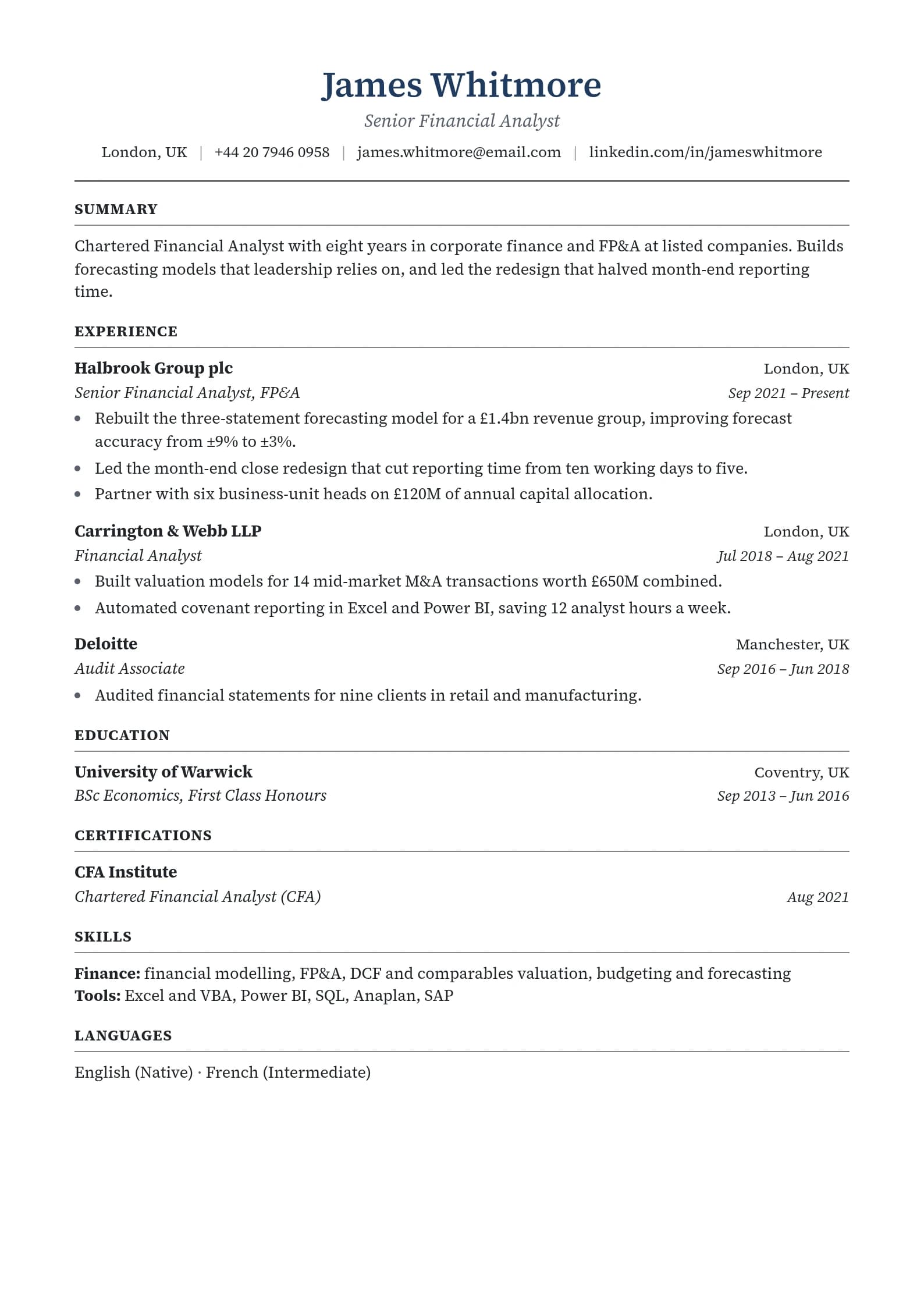
Build a resume that gets interviews
- ATS-optimized templates
- AI-powered writing
- Free to start
No credit card required
Workday's "Autofill with Resume" copies four kinds of information from your file into the application form: personal and contact details, work experience, education and languages. The result is a draft. To make it fill cleanly, upload a single-column, text-based PDF or .docx with standard headings, one date format and your contact details in the body, then check every field before you submit, because the form and the file you attached both reach the employer.
You know the moment. You upload your resume, Workday thinks for a second, and the Work Experience page shows your job title in the company field, two jobs merged into one, and a start date that belongs to an internship from 2019. Then the next employer's Workday site asks you to create an account and do it all again.
Workday is hard to avoid. Its own blog says "more than 30% of all U.S. job openings are hosted by Workday" and that 30 million job seekers submit more than 432 million applications through it each year (Workday, October 13, 2026). So it pays to know what the form does with your resume.
Where this comes from: Workday's own Recruiting for Administrators course manual (last updated July 10, 2026), its Candidate Home setup guide (last updated March 13, 2026), and applicant guides from universities that hire through Workday, all opened in November 2026. Workday doesn't publish how its parser decides which line is a job title, and each employer configures its own site, so treat anything beyond what these sources say as a safe habit, not a rule.
Part of the complete ATS resume guide.
What happens when you click Apply
On a Workday career site (often a myworkdayjobs.com address), the Apply button opens a choice. Penn State's applicant guide (revised October 29, 2026) describes the three options as:
| Option | What it does |
|---|---|
| Autofill with Resume | You upload your resume and "your information will be parsed into the application." The guide adds: "Be sure to review and edit your application (if needed) before submission." |
| Apply Manually | You fill in the application yourself. |
| Use My Last Application | It "brings forward the information you provided on a previous" application to the same employer. |
All three lead to a Create Account or Sign In screen, then to the form itself. A typical form runs through contact information, your experience (where the resume upload sits), the employer's own application questions and voluntary disclosures, then a review page, as Colorado State University Pueblo's Workday job aid lays out.
Workday's course manual lists exactly what it parses from an attached resume: personal and contact information, work experience, education, and languages. Skills come one step later: "Workday assesses the content of the application and resume, and from that content, Workday suggests skills," which you can keep or remove.
Two copies of you: the form and the file
A Workday application carries your information twice.
- The form fields. Whatever autofill put there, plus your corrections, becomes your application record.
- The file you uploaded. It stays attached. The manual describes recruiters bundling candidates' resumes into PDF files from a requisition's candidate list, so a person can open your actual resume.
That's why a scrambled autofill is worth fixing even when the attached PDF looks perfect. The manual also says that if an employer turns on Workday's Candidate Skills Cloud, "this feature enables Workday to score candidate applications" so recruiters can compare candidates' skills with the requisition. Where an employer uses it, the skills on your form matter as much as the ones in your file.
Why autofill scrambles your fields
A parser doesn't see your layout. It pulls the text out of the file and guesses which piece belongs in which field, as our complete ATS guide explains. Workday doesn't document its guessing rules, but the usual causes of wrong guesses in any parser are well known:
- Two columns or a sidebar. Text can be read straight across the page, so a skills list lands inside a job title. See why columns and tables break parsing.
- Contact details in a Word header or footer. Some parsers never read those areas, which is how an empty phone field happens.
- Creative headings. "Where I've Made Impact" doesn't announce work experience the way "Work Experience" does.
- Several date formats. "2021 to now", "Mar '19" and "06/2018" in one file make it hard to attach dates to the right job.
- Image-only files. A scan or screenshot saved as PDF has no text to extract. See PDF or Word for ATS.
And sometimes it isn't your resume at all. In June 2025 the University of Nevada's Workday support site relayed a Workday notice that "the automatic resume parsing feature on external career sites" was not filling application fields, logged against Workday's 2025R1 release, with manual entry as the workaround (University of Nevada Workday notice). If autofill returns an empty form for a clean file, apply manually rather than redesigning your resume.
How to prepare a resume that autofills cleanly
| Do this in your resume | Why it helps on Workday |
|---|---|
| One column, no tables or text boxes | The text comes out in the order you wrote it |
| Headings named Work Experience, Education, Skills, Languages | They match the sections Workday parses |
| Title, employer, city and dates in the same order for every job | Each job splits into its own entry with the right dates |
| One date format, month and year (Mar 2022 to Present) | Each date attaches to the right job |
| Name, email and phone as body text at the top | Contact fields fill, and your email becomes your account ID |
| A Languages section with levels (Spanish, professional working) | Languages are one of the four things Workday parses |
| Skills spelled the way the posting spells them | Workday suggests skills from your resume's content |
| A text-based PDF or .docx, in a format the posting accepts | Image files give the parser nothing to read |
Accepted file types and sizes are set by each employer. CSU Pueblo's upload box, for example, accepts PDF, DOC and DOCX, up to 5 files and 5 MB in total, so check the upload area before you convert anything.
For the skills row, paste the posting and your resume into the free keyword matcher (no account needed) to see which of the posting's terms your resume never mentions. Add only the ones you really have.
The field-by-field check before you submit
Autofill gets you a draft. This table is the review pass, section by section.
| Form section | What autofill does | What to check |
|---|---|---|
| My Information (name, email, phone, address) | Fills from the contact lines at the top of your resume | Your email is the one you'll use for this employer's account. Workday uses the email address as the candidate identifier. Address fields can be required by country (a US postal code, for instance), and your resume may not include them. |
| Work Experience | Creates one entry per job it recognizes, with title, company, location, dates and a description | Title and company not swapped. No two jobs merged into one. Each date on the right job, and only your current role marked as current. Description text complete and readable. |
| Education | Fills school, degree, field of study and dates | If the employer enabled Workday's school list, pick your school from it instead of keeping parsed text. Degree type correct. |
| Languages | Fills languages it finds | Levels are right, and nothing is missing. |
| Skills | Suggests skills from your application and resume | Remove anything wrong or irrelevant. Add skills from the posting that you have. |
| Resume/CV upload | Keeps the file you chose | It's the version for this job, not last month's draft. |
| Application Questions and Voluntary Disclosures | Nothing. Your resume doesn't answer these | Work authorization, sponsorship, location and any knockout questions. Read each one slowly. |
| Review | Shows everything in one place | Required fields (marked *) are complete, attachments are there, contact details are right. |
The last two rows are where applications go wrong for reasons no resume can fix. Workday's announcement of its new candidate profile says it plainly: "Candidates complete required questions, disclosures, validations, and job-specific requirements" on every application.
Accounts, saved applications and other Workday quirks
An account for each employer. Workday's setup guide says that with Candidate Home turned on, "candidates can register an account on your external career site." The account belongs to that employer's site, which is why Penn State's guide tells first-time applicants to create one and returning applicants to sign in. Even Workday's own blog admits candidates "shouldn't have to create another account, remember another password, upload the same resume, retype the same work history." Use one email per employer, and keep a list of which sites you've registered on.
"Use My Last Application" reuses your old answers. The course manual says that once you've applied for one job, "Workday uses the information from the most recent job application for any subsequent job applications," and that you can still attach a resume or cover letter with this option. Convenient, but it brings back last year's phone number and last year's job as "current." Check every section anyway.
Withdrawing can be final. Penn State's guide lists two actions for a submitted application, View Application and Withdraw Application, and warns that after withdrawing "you CANNOT re-apply to the same job." Make your fixes before you submit.
Save as you go. The forms are long. CSU Pueblo's job aid tells applicants to save progress regularly and to allow enough time to finish in one sitting.
A shared profile is coming, not here yet. In October 2026 Workday announced Workday Candidate Profile: sign in with an email and a one-time code, and saved contact details, work history, education and skills can "prefill up to 80% of standard application fields" across Workday-hosted career sites. Workday says it's "expected to be available in early 2027," and employer-specific questions stay.
When to skip autofill and apply manually
Choose Apply Manually when autofill returns an empty or badly scrambled form, or when you've changed jobs since your last application to that employer. Manual entry takes longer, but you control every field, and you still upload the resume itself at the end of the experience section.
A plain-text copy of your resume makes manual entry faster: copy each job's bullets from it straight into the description boxes. The same text-only view is also a fair preview of what a parser sees, and the job application vs resume guide covers what an application form wants that your resume leaves out. Greenhouse forms work differently again: its parser skips files over 2.5 MB and its auto-reject rules run on your answers to application questions, as our Greenhouse resume tips explain.
Where ResumeFast fits
Disclosure: ResumeFast is our product. Every template in the ATS-friendly template collection is a single column. The Word export is a plain single-column .docx in Calibri with real bullet lists and no tables, text boxes or headers, which is the kind of file the table above asks for.
Building is free, plain-text (.txt) downloads are always free, and your first PDF or Word download is free. After that, PDF and Word downloads need Pro at $12.95 a month, charged at checkout with no trial. A free account also includes one ATS check a month, which shows how a parser reads your file before Workday does.
Frequently Asked Questions
What does Workday autofill from a resume?
Workday's Recruiting course manual lists personal and contact information, work experience, education and languages as the data it parses from an attached resume. After you apply, it also suggests skills based on your application and resume, which you can keep or remove.
Does Workday accept PDF resumes?
Each employer sets the accepted file types on its own Workday site. Colorado State University Pueblo's site, for example, accepts PDF, DOC and DOCX up to 5 MB in total. Upload a text-based PDF or a .docx, never a scan or a screenshot, and follow the posting if it names a format.
Why does Workday make me create a new account for every company?
Candidate Home accounts are registered on each employer's own external career site, so an account at one company doesn't sign you in at another. Workday has announced a shared Workday Candidate Profile with one-time-code sign-in, expected in early 2027.
Should I use Autofill with Resume or Apply Manually?
Use Autofill with Resume when your resume is single column with standard headings, then check every field. Switch to Apply Manually if the form comes back empty or scrambled. In 2025 a Workday parsing issue on external career sites left fields empty, and manual entry was the workaround.
Does Workday rank or score applicants?
It can, if the employer sets it up. Workday's course manual says its Candidate Skills Cloud feature, when configured, scores candidate applications so recruiters can compare skills with the job. Accurate skills on the form and a readable resume both matter.
Can I change a Workday application after I submit it?
Plan as if you can't. Penn State's applicant guide lists View Application and Withdraw Application for submitted applications, and says that after withdrawing you cannot re-apply to the same job. Check every section on the review page first.
Applying through Workday this week? Check your file with the ATS checker, compare it with the posting in the free keyword matcher, or build a single-column resume in ResumeFast.
ResumeFast Team
The team behind ResumeFast
The team that builds ResumeFast's resume templates and ATS checker and writes its expert reviews..
How does your resume score against the job ad?
Paste a job ad and see your ATS score and the keywords your resume misses.
1 check a month on the free plan. Pro, $12.95 a month, makes them unlimited.
Continue Reading
View all articles
Greenhouse ATS Resume Tips: What Greenhouse's Docs Say

The Complete ATS Resume Guide (2026)

Is a Google Docs Resume ATS Friendly? How to Test Yours

Resume Date Format: How to Write Employment Dates

Software Engineer Resume: A Guide for Every Level (2026)
