Best Adobe Express Resume Alternatives (2026)
Adobe Express creates beautiful resumes that ATS can't read. Find alternatives that combine professional design with ATS compatibility.

Raman M.
Software Engineer & Career Coach
On this page
Build a resume that gets interviews
- ATS-optimized templates
- AI-powered writing
- Free to start
No credit card required
Adobe Express offers stunning resume templates backed by one of the most trusted design brands in the world. The templates look incredible. The typography is beautiful. The layouts are eye-catching.
And most ATS systems can't read any of it.
Adobe Express shares the same fundamental problem as Canva: it's a design tool that happens to have resume templates, not a resume builder that happens to look good. The difference matters when 75%+ of companies use applicant tracking systems to filter resumes before human review.
TL;DR: Top 3 Adobe Express Alternatives
- ResumeFast - ATS-optimized templates with AI writing. 100% free.
- Resume.io - Clean design with reliable ATS compatibility. $24.95/month.
- Indeed Resume Builder - Free, ATS-guaranteed (it's built by an ATS company).
What Adobe Express Does Well
Adobe Express has genuine strengths as a design tool:
- Adobe design quality: Templates created by professional designers with access to Adobe's font library and design assets
- Brand consistency: Use Adobe's ecosystem for consistent visual identity across all materials
- Free tier: Many resume templates available on the free plan
- Familiar interface: If you use other Adobe products, the learning curve is minimal
- Creative freedom: Full control over colors, fonts, layouts, and graphics
For visual portfolio pieces, networking materials, or resumes you'll print and hand to someone, Adobe Express delivers premium design quality.
The ATS Problem: Same as Canva, Different Brand
Adobe Express creates design files, not documents. When exported as PDFs, the same issues that plague Canva resumes apply:
- Text encoded as design elements: ATS sees image layers, not readable text
- Multi-column layouts: Content flow gets scrambled during parsing
- Custom fonts: May not map to standard character sets ATS expects
- Decorative elements: Graphics and icons interrupt text extraction
- Non-standard structure: No semantic hierarchy that ATS can interpret
The test is simple: Open your Adobe Express resume PDF, select all text (Ctrl+A), copy (Ctrl+C), paste into a plain text editor. If the text is garbled, out of order, or missing, ATS will have the same experience.
The irony: Adobe invented the PDF format. But Adobe Express optimizes PDFs for visual fidelity, not text extraction. The PDF spec supports both, but resume PDFs need the latter.
Why People Look for Alternatives
1. ATS Incompatibility
The primary driver. Job seekers using Adobe Express resumes apply to dozens of jobs with zero callbacks, then discover the ATS issue.
2. No Resume-Specific Features
Adobe Express is a general design tool. It offers no:
- ATS scoring or compatibility checking
- Keyword matching against job descriptions
- AI writing assistance for bullet points
- Content suggestions by industry or role
- Resume-specific formatting guidance
3. Overkill for Most Job Seekers
Most job seekers don't need a full design tool. They need a resume builder that produces clean, professional, ATS-compatible documents. Adobe Express adds complexity without adding resume-specific value.
4. Adobe Ecosystem Lock-in
Adobe Express works best within Adobe's ecosystem. If you don't use other Adobe products, you're paying for integration benefits you can't use.
Quick Comparison
| Feature | Adobe Express | ResumeFast | Resume.io | Indeed |
|---|---|---|---|---|
| ATS Compatible | No | Yes | Yes | Yes |
| AI Writing | No | Yes | Basic | No |
| ATS Scoring | No | Yes | No | No |
| Design Quality | Excellent | Good | Good | Basic |
| Resume Features | None | Full | Basic | Basic |
| Free Tier | Yes | Yes | Limited | Yes |
| Monthly Price | Free-$9.99 | Free | $24.95 | Free |
Alternative 1: ResumeFast (Best Overall)
Heads up before you read on: ResumeFast is the tool our team builds, so weigh these points against the competitors above rather than taking them at face value.
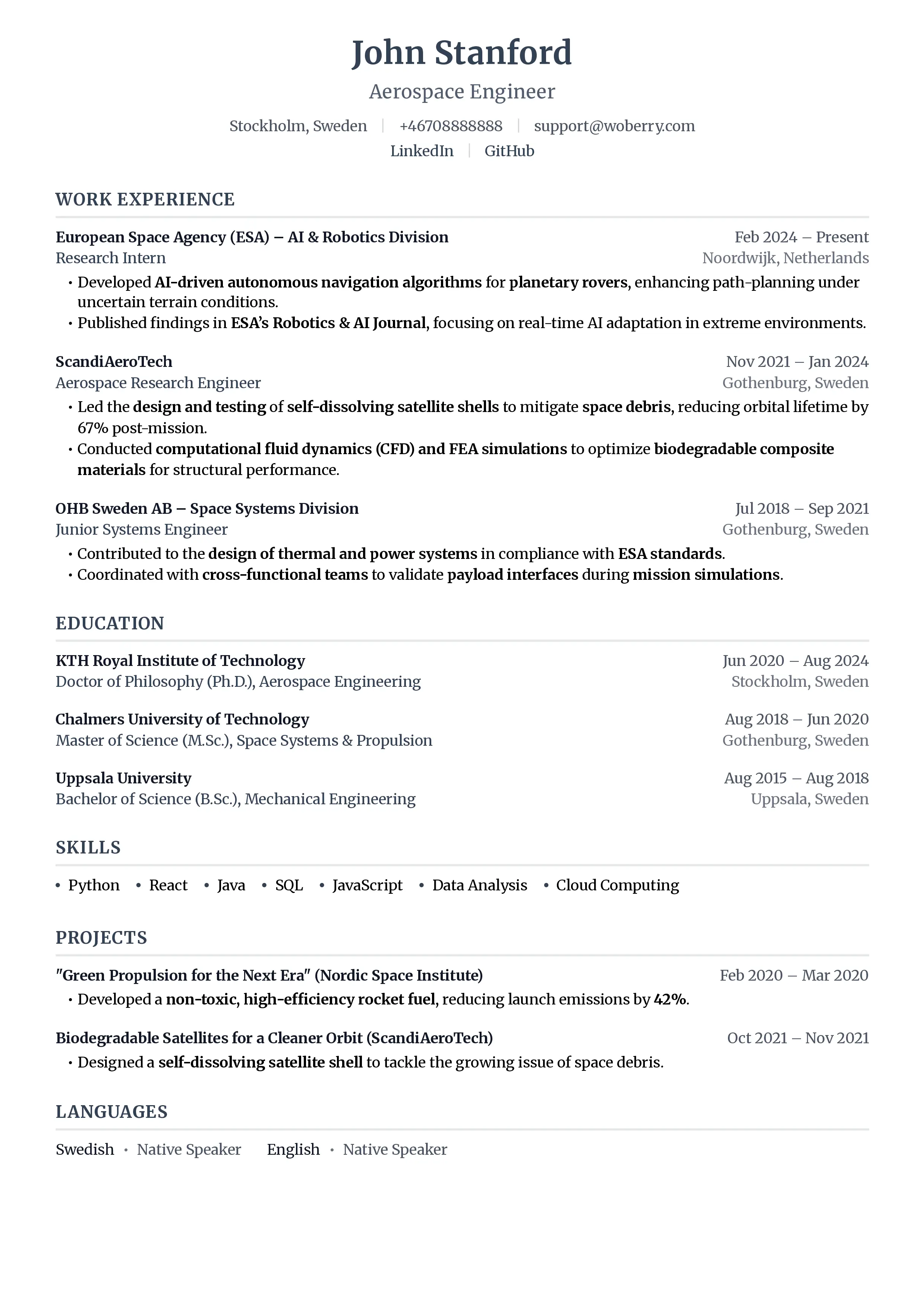
ResumeFast bridges the gap between design tools like Adobe Express and functional resume builders. Concretely, it offers a free ATS score check, AI help drafting bullet points, ATS-friendly templates, and PDF downloads without a paywall.
Why Adobe Express users switch:
- ATS-first templates: Every template is designed to parse correctly in ATS systems
- AI writing assistance: Get industry-specific bullet point suggestions instead of writing from scratch
- ATS scoring: See exactly how your resume matches a specific job description
- Professional design: Clean, modern templates that look professional without sacrificing ATS compatibility
- Cover letters included: Full cover letter builder with AI writing at every plan level
What you lose vs Adobe Express:
- Significantly less design freedom (can't add custom graphics, limited font choices)
- Fewer template options
- No connection to Adobe's broader design ecosystem
Pricing:
- Free: All features included. No paid tiers, no paywalls.
Alternative 2: Resume.io
Resume.io offers clean, professional templates that reliably pass ATS, with a simpler interface than Adobe Express.
Strengths:
- Professional templates with consistent ATS compatibility
- Very simple interface
- Quick to create a resume
- Reliable PDF output
Limitations:
- Expensive ($24.95/month) for basic features
- Basic AI capabilities
- Limited customization
- No ATS scoring
Best for: Users who want professional design with guaranteed ATS compatibility and don't need AI features.
Alternative 3: Indeed Resume Builder
The simplest possible alternative: free, functional, ATS-guaranteed.
Strengths:
- Completely free
- Built by an ATS company (guaranteed compatibility)
- Simple interface
- Unlimited downloads
Limitations:
- Very basic templates (no design appeal)
- No AI features
- Minimal customization
- No cover letters
Best for: Users who prioritize ATS compatibility and cost over visual design.
Alternative 4: Kickresume
For Adobe Express users who prioritize visual design, Kickresume offers more creative options than standard resume builders.
Strengths:
- Visually striking templates (closest to Adobe Express quality)
- AI content generation
- Personal website builder
- Resume samples library
Limitations:
- Some templates break ATS parsing (test before using)
- Free tier has watermarks
- Premium is expensive ($19-39/month)
- ATS compatibility varies by template
Best for: Creative professionals who want design quality AND understand the ATS trade-offs.
Design Tools vs Resume Builders: The Core Difference
| Aspect | Design Tools (Adobe, Canva) | Resume Builders (ResumeFast, Resume.io) |
|---|---|---|
| Primary goal | Visual impact | ATS compatibility |
| Text handling | Design elements | Structured document text |
| PDF structure | Image-optimized | Text-extraction optimized |
| Templates | Design-first | Function-first |
| AI features | None (resume-specific) | Writing, scoring, matching |
| Best for | Print, portfolio, networking | Online applications |
The best approach for many job seekers is using both: a resume builder for online applications (95% of job applications) and a design tool for the 5% of situations where you're handing a resume directly to someone.
How to Test Your Adobe Express Resume
Before switching tools, verify whether your Adobe Express resume actually has ATS issues:
- Copy-paste test: Open PDF, Ctrl+A, Ctrl+C, paste into Notepad
- Check text order: Is the content in the right sequence? Do section headers appear before their content?
- Check completeness: Is all text present, or are sections missing?
- Check characters: Are special characters (bullets, em dashes) displaying correctly?
If any of these fail, your resume needs an ATS-compatible alternative.
Who Should Stay with Adobe Express
Adobe Express remains the right choice if:
- You're a designer: Your resume IS a design portfolio piece
- You never apply online: All your job opportunities come through networking and direct contact
- You're building a visual CV: For creative agencies that expect design-forward applications
- You need brand materials: Resume is part of a cohesive Adobe-designed identity kit
- You're applying to small companies: Without ATS systems
Frequently Asked Questions
Is Adobe Express better than Canva for resumes?
They have the same fundamental problem: ATS incompatibility. Adobe Express may offer slightly higher design quality and better typography options, but both fail the ATS test equally. Neither is suitable for online job applications.
Can I make an ATS-friendly resume in Adobe Express?
Not reliably. Even simple Adobe Express templates may encode text in ways ATS can't parse. The underlying file structure is optimized for visual rendering, not text extraction. Use a purpose-built resume builder for ATS compatibility.
Is Adobe Express free for resume building?
Yes, many resume templates are available on Adobe Express's free tier. However, "free but ATS-incompatible" means your resume won't reach recruiters at most companies. The cost savings are irrelevant if the resume doesn't work.
Should I have separate resumes for online and in-person use?
Yes. Use an ATS-optimized resume builder like ResumeFast for online applications and Adobe Express for printed materials, portfolio pieces, or networking events. Keep the content identical; only the formatting should differ.
What about Adobe Express's AI features?
Adobe Express has added AI features for general design, but none are resume-specific. No ATS scoring, no keyword matching, no industry-specific content suggestions. For AI-powered resume building, use a dedicated resume tool.
Design meets function. Try ResumeFast free for ATS-optimized resumes that still look professional. Get AI writing and ATS scoring without sacrificing design quality.
For more on ATS compatibility, read our guide to how ATS systems work. Compare all resume builders in our 2026 comparison guide.
Your resume is your first impression. Make it count.
Join 50,000+ job seekers using ResumeFast to build ATS-optimized resumes that actually get interviews.
No credit card required. Free forever.
Continue Reading
View all articles
Best Jobscan Alternatives in 2026
Best Kickresume Alternatives for ATS-Friendly Resumes (2026)
Best Rezi Alternatives for ATS Resume Optimization (2026)
Why Canva Resumes Fail ATS (and How to Fix It)
Best Canva Resume Alternatives for ATS (2026)
Is Resume.io Free? What You Actually Pay in 2026
Build a resume that gets interviews
Ready to build your resume?