Best Canva Resume Alternatives for ATS (2026)
Canva resumes look stunning but fail ATS parsing. Discover the best Canva alternatives that combine good design with ATS compatibility.

Raman M.
Software Engineer & Career Coach
On this page
Build a resume that gets interviews
- ATS-optimized templates
- AI-powered writing
- Free to start
No credit card required
You spent two hours perfecting your Canva resume. The colors are on-brand. The layout is pixel-perfect. You export it as a PDF and upload it to 30 job applications.
Zero callbacks.
The problem isn't your qualifications. It's that most companies never saw your resume. Canva creates design files, not documents, and applicant tracking systems can't read them.
TL;DR: Top 3 Canva Alternatives
- ResumeFast - Best overall. ATS-optimized templates with AI writing. 100% free.
- Resume.io - Clean, simple interface with ATS-safe output. $24.95/month.
- Novoresume - Modern designs that still parse correctly. $19.99/month.
What Canva Does Well
Credit where it's due. Canva is a phenomenal design tool, and there are legitimate reasons people use it for resumes:
- Massive template library: Thousands of resume designs, many genuinely beautiful
- Complete design freedom: Custom fonts, colors, layouts, graphics
- Free tier is generous: Most resume templates are available without paying
- Familiar interface: If you've used Canva for anything else, zero learning curve
- Export flexibility: PDF, PNG, and print-ready formats
For portfolios, personal branding materials, and resumes you'll hand directly to someone at a networking event, Canva is excellent.
The ATS Problem: Why Canva Resumes Fail
Here's what happens when you submit a Canva resume to a company using an applicant tracking system (and 75%+ of mid-to-large companies do):
Canva treats text as design elements, not document text. When you export a Canva resume as a PDF, the underlying file structure often contains:
- Text embedded as image layers
- Characters in randomized order
- Multi-column layouts that scramble content flow
- Custom fonts that don't map to standard character sets
- Graphics and icons that interrupt text parsing
Test it yourself: Open your Canva resume PDF. Press Ctrl+A (select all), then Ctrl+C (copy). Paste into a plain text editor like Notepad. If the text is garbled, out of order, or missing entirely, that's exactly what ATS software sees.
An ATS is a text parser at its core. It's looking for structured data: your name, contact info, job titles, dates, skills. When it encounters a Canva PDF, it often extracts gibberish or nothing at all.
The result: Your resume gets auto-rejected before a human ever sees it. Your qualifications are irrelevant because the system literally couldn't read them.
Why People Look for Canva Resume Alternatives
Beyond ATS issues, several other frustrations drive users to look elsewhere:
- Invisible applications: Applying to dozens of jobs with zero response is the most common complaint
- No resume-specific features: Canva lacks keyword matching, job description analysis, or resume scoring
- Template overwhelm: Thousands of templates, but no guidance on which ones are professional or appropriate for your industry
- No content assistance: Canva helps with design but gives zero help writing effective bullet points or summaries
Quick Comparison: Canva vs Alternatives
| Feature | Canva | ResumeFast | Resume.io | Novoresume | Indeed |
|---|---|---|---|---|---|
| ATS Compatible | No | Yes | Yes | Yes | Yes |
| AI Writing | No | Yes | Basic | Yes | Basic |
| ATS Scoring | No | Yes | No | Partial | No |
| Free Tier | Yes | Yes | Limited | Limited | Yes |
| Monthly Price | Free-$14.99 | Free | $24.95 | $19.99 | Free |
| Templates | 1000+ | 15+ | 25+ | 20+ | 3-4 |
| Design Freedom | Full | Moderate | Limited | Moderate | Minimal |
Alternative 1: ResumeFast (Best Overall)
One thing to flag upfront: this is the tool we make, so we have kept the claims below to things you can verify yourself.
ResumeFast was built specifically for the problem Canva users face: creating resumes that look professional AND pass ATS screening.
Why Canva users switch:
- ATS-first design: Every template is tested against major ATS systems. Your resume will be parsed correctly.
- Real-time ATS scoring: Paste a job description and see exactly how well your resume matches, with specific suggestions for improvement
- AI-powered writing: Stuck on bullet points? The AI generates industry-specific suggestions based on your role and experience
- Keyword matching: See which keywords from the job posting are missing from your resume
- Still looks good: Clean, modern templates that are professional without being boring
What you lose vs Canva:
- Fewer decorative design options (no custom graphics, limited color palettes)
- Smaller template library (quality over quantity)
- No drag-and-drop layout customization
Pricing:
- Free: All features included. Unlimited resumes, ATS scoring, AI writing, unlimited downloads. No paid tiers.
Best for: Job seekers who've been using Canva and getting no responses. If you're applying online to companies with ATS, this solves the core problem.
Alternative 2: Resume.io
Resume.io takes the opposite approach from Canva: minimal design, maximum simplicity.
Strengths:
- Very clean, professional templates
- Simple interface that's hard to mess up
- Good ATS compatibility
- Quick to create a basic resume (under 10 minutes)
Limitations:
- Limited customization compared to Canva
- Basic AI features
- Expensive for what you get ($24.95/month)
- Cover letter builder is bare-bones
Pricing:
- Free: 1 resume, limited templates
- Pro: $24.95/month or $44.95/6 months
- Annual: $74.95/year
Best for: People who found Canva overwhelming and want something straightforward with zero design decisions.
Alternative 3: Novoresume
Novoresume bridges the gap between Canva's visual appeal and ATS compatibility. Templates look modern without breaking parsing.
Strengths:
- Modern, visually appealing templates that still parse correctly
- Good at handling limited work experience (great for students)
- Skills matcher against job descriptions
- Education-focused layouts
Limitations:
- Some templates use design elements that can cause minor ATS issues
- Premium features require subscription
- Less design freedom than Canva
- Content suggestions can be generic
Pricing:
- Free: 1 resume with basic features
- Premium: $19.99/month or $79.99/year
- Premium+: $29.99/month or $119.99/year
Best for: Students and early-career professionals who want something that looks better than a plain Word document but won't fail ATS.
Alternative 4: Indeed Resume Builder
If you primarily apply through Indeed, their built-in builder is worth considering.
Strengths:
- Completely free, no hidden costs
- Guaranteed ATS compatibility (it IS the ATS)
- Direct integration with Indeed applications
- Simple, functional output
Limitations:
- Very limited templates (3-4 basic options)
- No AI writing features
- Minimal design options
- Not useful outside Indeed's ecosystem
Best for: Budget-conscious job seekers who primarily use Indeed for applications.
Feature Comparison: What Canva Users Care About
Design Quality
Canva wins on pure design flexibility. No resume builder matches it for visual creativity. But "design quality" and "resume effectiveness" are different things.
The alternatives listed above offer professional, clean templates that look good in the ways that matter for resumes: clear hierarchy, readable fonts, consistent spacing, and proper use of white space.
Before (Canva approach):
Two-column layout with sidebar icons, custom color palette, decorative header graphic, infographic-style skills section
After (ATS-friendly approach):
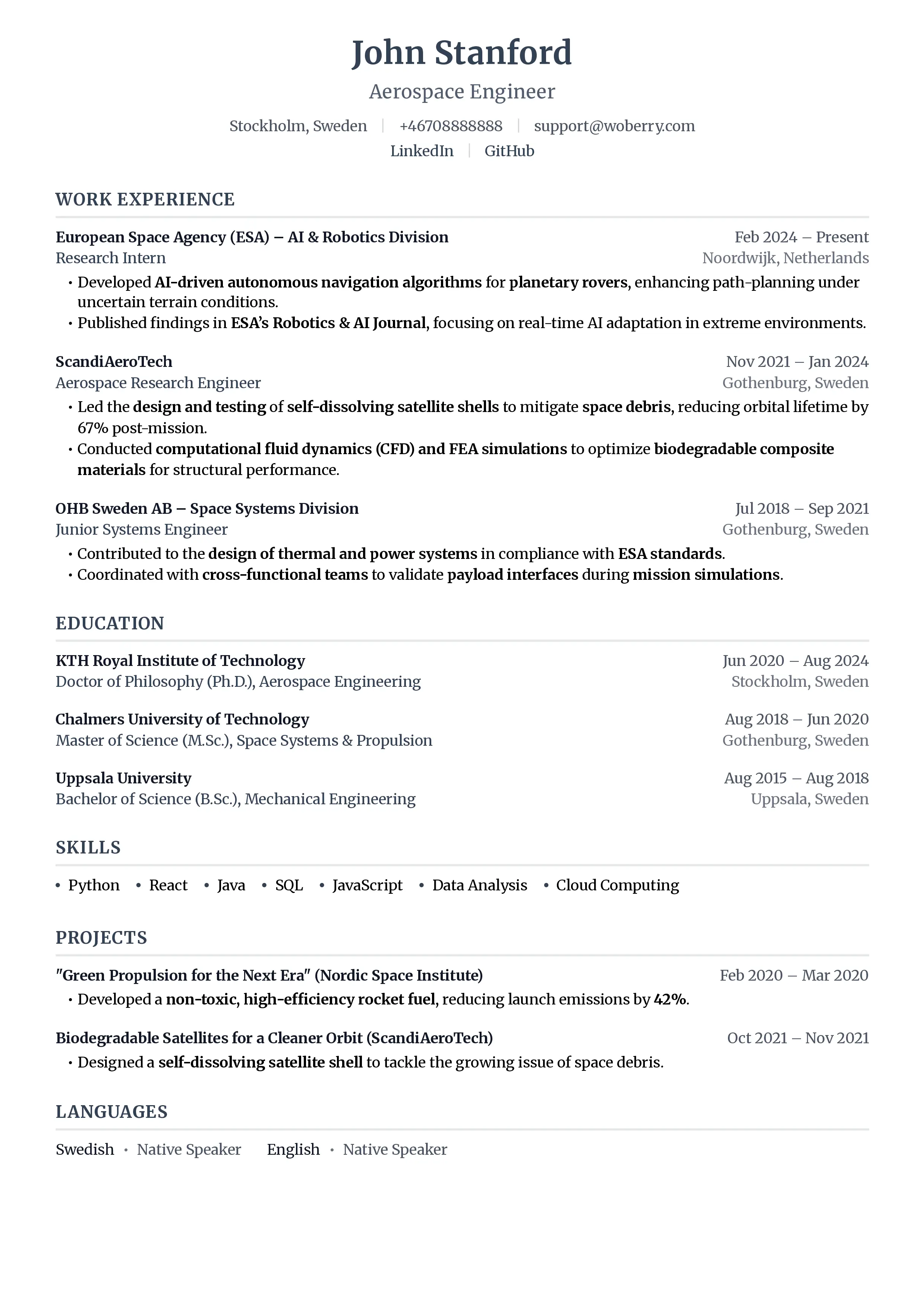
Single-column layout, clear section headers, standard fonts, bullet-pointed achievements with metrics
Both can look professional. Only one gets read by ATS.
Export Quality
Canva exports visually perfect PDFs. The problem is the underlying structure.
ATS-focused builders export PDFs with proper text layers, semantic structure, and standard encoding. The visual output may be simpler, but the file itself is machine-readable.
Content Assistance
This is where Canva falls furthest behind. It's a design tool with zero resume expertise. The alternatives offer:
- ResumeFast: AI bullet point generation, keyword matching, ATS scoring
- Resume.io: Basic content tips and suggestions
- Novoresume: Pre-written content snippets by role and industry
Cost Over a Typical Job Search
The average job search lasts 3-6 months. Here's what each tool costs over that period:
| Tool | 3 Months | 6 Months |
|---|---|---|
| Canva Free | $0 | $0 |
| Canva Pro | $44.97 | $89.94 |
| ResumeFast | $0 | $0 |
| Resume.io | $74.85 | $149.70 |
| Novoresume | $59.97 | $119.94 |
| Indeed | $0 | $0 |
Canva's free tier is genuinely free. But if your Canva resume isn't reaching recruiters, $0 for a tool that doesn't work is worse than switching to a free tool that does, like ResumeFast.
Who Should Stay with Canva
Canva is still the right choice if:
- You're in a creative field where visual resumes are expected (graphic design, UI/UX, art direction)
- You're handing resumes directly to people at job fairs, networking events, or in-person interviews
- You're applying to small companies that don't use ATS software
- You need a portfolio-style document rather than a traditional resume
- You're creating a personal brand kit where the resume is part of a cohesive visual identity
If any of those describe your situation, keep using Canva. Just don't submit Canva resumes through online application portals.
How to Test if Your Current Resume Passes ATS
Before switching tools, test your existing resume:
- Copy-paste test: Open your PDF, select all text (Ctrl+A), copy (Ctrl+C), paste into Notepad. Is the text readable and in the right order?
- Online parser test: Use ResumeFast's ATS checker to see how your resume parses
- Text extraction: Upload your PDF to a free PDF-to-text converter. Does the output match your resume?
If your resume fails these tests, it's failing ATS too. Time to switch tools.
Frequently Asked Questions
Can I make a Canva resume ATS-friendly?
Not reliably. Some Canva templates generate cleaner text layers than others, but there's no way to guarantee ATS compatibility. The underlying file format is the issue, not something you can fix with template choice alone.
What about Canva's "simple" resume templates?
Even Canva's simpler templates can have parsing issues. The problem isn't complexity; it's how Canva encodes text in PDF files. A simple Canva template may look ATS-friendly but still fail text extraction.
Should I have two resumes, one in Canva and one ATS-friendly?
This is actually a solid strategy. Use an ATS-optimized resume for online applications and a Canva resume for in-person situations. Just make sure the content is identical, only the formatting differs.
Do small companies use ATS?
Many do. Even companies with 50-100 employees often use basic ATS software. The threshold is lower than most people think. If a company has an online application form, they're likely using some form of ATS.
Is Canva completely useless for job searching?
No. Canva is excellent for cover letters (which are usually read by humans, not parsed by ATS), LinkedIn banners, portfolio presentations, and personal branding materials. Just don't use it for the resume you submit through online applications.
What's the easiest way to switch from Canva to an ATS-friendly builder?
Export your Canva resume content (copy the text), then paste it into an ATS-friendly builder like ResumeFast. You'll keep all your content and achievements, just reformatted into a structure ATS can read. Most people can migrate in 15-20 minutes.
Ready to make the switch? Try ResumeFast free and see your ATS compatibility score instantly. No credit card required, no surprise paywalls.
For a deeper comparison of resume builders, check out our complete resume builder comparison for 2026. To understand exactly how ATS systems parse your resume, read our guide to how ATS works.
Your resume is your first impression. Make it count.
Join 50,000+ job seekers using ResumeFast to build ATS-optimized resumes that actually get interviews.
No credit card required. Free forever.
Continue Reading
View all articles
Best Jobscan Alternatives in 2026
Best Kickresume Alternatives for ATS-Friendly Resumes (2026)
Best Rezi Alternatives for ATS Resume Optimization (2026)
Why Canva Resumes Fail ATS (and How to Fix It)
Best Adobe Express Resume Alternatives (2026)
Is Resume.io Free? What You Actually Pay in 2026
Build a resume that gets interviews
Ready to build your resume?