Your LinkedIn and Resume Tell Different Stories (How to Fix That Before Graduation)
New grads often have mismatched LinkedIn profiles and resumes. Use this alignment checklist to ensure both documents work together for your job search.

Raman M.
Software Engineer & Career Coach
On this page
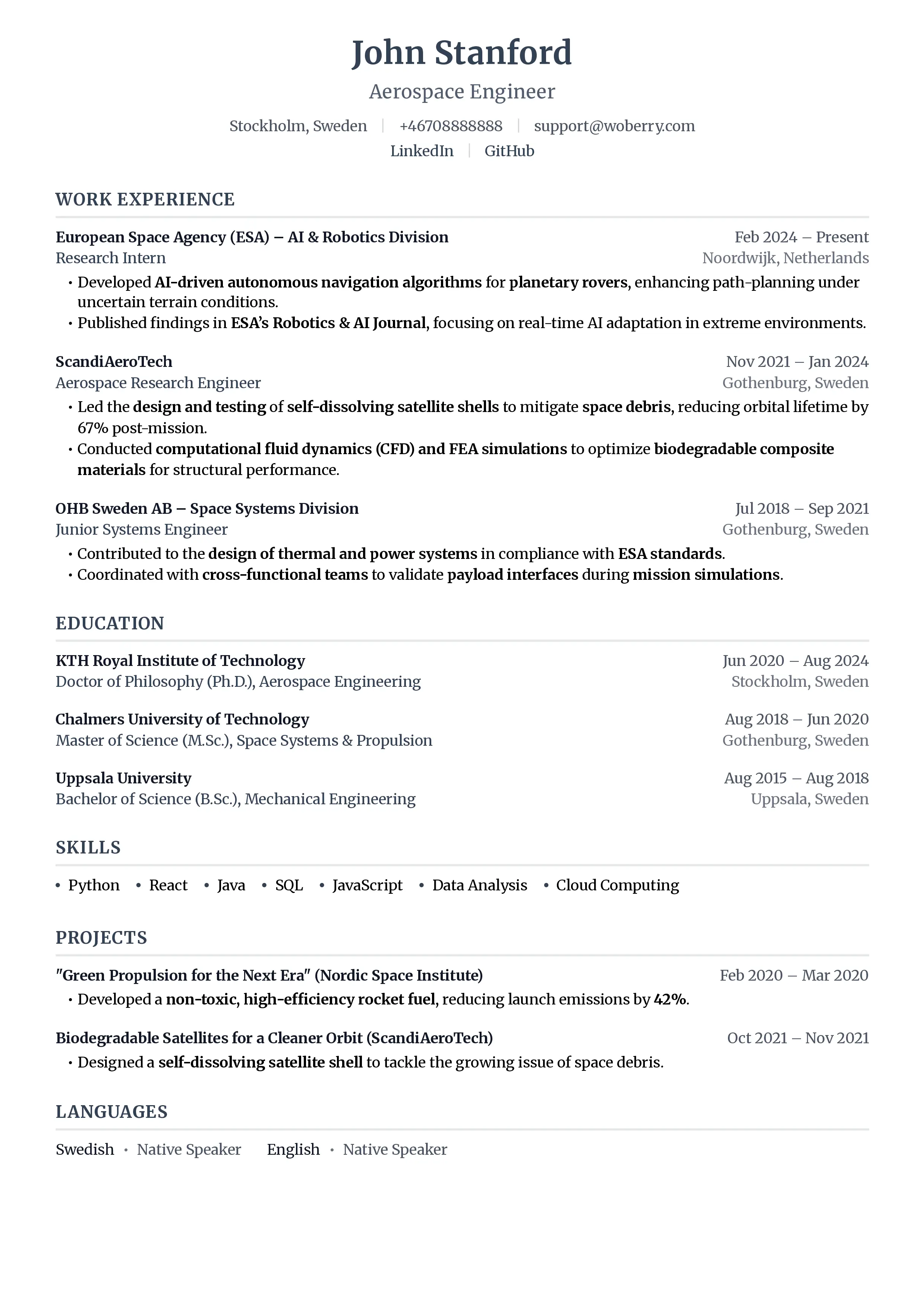
Build a resume that gets interviews
- ATS-optimized templates
- AI-powered writing
- Free to start
No credit card required
You've polished your resume. You've updated your LinkedIn. But have you compared them side by side?
If you're like most new graduates, your resume says one thing and your LinkedIn says something slightly (or wildly) different. Different job titles, different date ranges, different skill lists. And recruiters notice. 73% of recruiters cross-reference your LinkedIn profile with your resume, according to Jobvite's 2025 Recruiter Nation survey. When the two don't match, it raises questions about accuracy, and questions lead to rejections.
The fix isn't making them identical. It's making them strategically aligned. Here's exactly how to do that.
Why Perfect Copies Don't Work Either
Before we get into the checklist, let's clear up a common misconception. Your resume and LinkedIn profile serve fundamentally different purposes:
- Your resume is a targeted document for a specific role. It should be tailored every time you apply.
- Your LinkedIn profile is a passive discovery tool. Recruiters search for you using keywords, and you can't predict which ones.
That's why they shouldn't be carbon copies. They need to tell the same story from two different angles. For a deeper dive into these differences, check out our guide on LinkedIn vs resume strategy.
The Resume-LinkedIn Alignment Checklist
Resume-LinkedIn alignment is the practice of ensuring your resume and LinkedIn profile present consistent, complementary information so that recruiters see a cohesive professional narrative across both platforms.
Use this table as your reference. Go through each element and make sure yours passes the consistency test.
| Element | Resume Approach | LinkedIn Approach | Why They Differ |
|---|---|---|---|
| Headline/Title | Matches the exact job title you're applying for (e.g., "Marketing Coordinator") | Broader, keyword-rich headline targeting multiple roles (e.g., "Marketing Graduate, Content Strategy, Social Media Analytics") | Resume targets one role; LinkedIn needs to appear in many different searches |
| Summary/About | 2-3 concise sentences tailored to the specific position and company | 2-3 paragraphs covering your background, interests, and career goals broadly | LinkedIn visitors don't know which role you want, so cast a wider net |
| Experience Descriptions | Bullet points with metrics tailored to the target role's requirements | Longer descriptions with full context, multiple projects, and transferable skills | Resume space is limited; LinkedIn lets you show the complete picture |
| Skills Keywords | Top 6-10 skills matching the job posting's exact language | 30-50 skills covering your full range, including synonyms and variations | LinkedIn's algorithm indexes all skills for search; resume needs precision |
| Education Details | Degree, school, GPA (if 3.5+), and 1-2 relevant coursework items | Full coursework list, academic projects, honors societies, study abroad, and activities | Education is often your strongest section as a new grad, so expand it on LinkedIn |
| Projects | 1-2 most relevant projects with measurable outcomes | All significant projects with detailed descriptions and media attachments | LinkedIn lets you add links, images, and presentations that a resume can't |
| Certifications | Only certifications relevant to the target role | All certifications, including in-progress ones | Recruiters search for certifications by name, so list everything on LinkedIn |
| Recommendations/References | "References available upon request" or omit entirely | 3-5 recommendations from professors, supervisors, and collaborators | LinkedIn recommendations serve as visible social proof that a resume can't replicate |
Save this checklist and revisit it every time you update either document.
Section-by-Section Alignment Tips
Headline: Be Specific on Resume, Broad on LinkedIn
Your resume header should mirror the job title from the posting. If you're applying for "Junior Data Analyst," your resume should say exactly that.
Your LinkedIn headline gets 220 characters. Use them. Include your degree, 2-3 target role keywords, and a skill or two. This is how recruiters find you when they search. Learn more about how recruiters actually search in our breakdown of the LinkedIn recruiter algorithm.
Experience: Match the Facts, Vary the Depth
This is where most mismatches happen. Dates, company names, and job titles must be identical across both platforms. A one-month discrepancy in your internship dates can look like you're hiding something.
What should differ is the depth. Your resume bullets should be tight, metrics-driven, and tailored:
Increased social media engagement by 34% over 3 months through A/B-tested content strategy
Your LinkedIn version can include that same bullet plus the full context: what tools you used, what the team looked like, what you learned. Recruiters who visit your profile want the deeper story.
Skills: Strategic Overlap
Pick the 6-10 skills from the job posting and put them on your resume. On LinkedIn, list those same skills plus every relevant variation. "Data Analysis" on your resume, but "Data Analysis," "Data Visualization," "SQL," "Python," "Tableau," and "Statistical Modeling" on LinkedIn.
Every skill on your resume should appear on your LinkedIn. The reverse doesn't need to be true.
Projects and Portfolio
If you have project work, your resume should highlight the 1-2 most relevant ones with outcomes. LinkedIn is where you showcase everything, with links, screenshots, and detailed write-ups. For creative fields, check out our comparison of portfolio vs resume approaches.
Education: Your Biggest Advantage
As a new graduate, education is likely your strongest section. On your resume, keep it focused: degree, honors, relevant coursework. On LinkedIn, expand it with every academic project, club leadership role, study abroad experience, and relevant elective. This gives recruiters more keyword surface area to find you.
The Cross-Check Process
Before you submit your next application, run this 5-minute check:
- Open your resume and LinkedIn side by side
- Verify all dates match exactly (month and year for each position)
- Confirm job titles are identical (don't upgrade "Intern" to "Associate" on LinkedIn)
- Check that every resume skill appears on LinkedIn
- Read both summaries and confirm they tell a consistent career narrative
- Ask a friend to review both and flag anything that seems contradictory
For a comprehensive approach to building your resume as a new grad, see our new grad resume guide for 2026.
Common Mistakes New Grads Make
Inflating titles on LinkedIn. If your resume says "Marketing Intern," your LinkedIn can't say "Marketing Specialist." Recruiters will catch it, and it's an instant credibility loss.
Forgetting to update both. You add a new certification to your resume but forget LinkedIn, or vice versa. Set a calendar reminder to sync them monthly.
Listing different skills on each. Your resume mentions "Figma" but your LinkedIn doesn't. This looks like you're padding one document or the other. For more pitfalls to avoid, read about common first-job resume mistakes.
How to Optimize Your LinkedIn for Recruiter Discovery
Your LinkedIn profile does double duty: it supports your active applications and attracts inbound recruiter interest. To maximize both, follow our detailed guide on how to optimize your LinkedIn profile for recruiters.
The key insight: recruiters search LinkedIn using keywords, not by reading profiles. Your LinkedIn needs to contain every relevant keyword variation. Your resume only needs the ones that match the specific job posting.
Frequently Asked Questions
Should my LinkedIn summary be the same as my resume summary?
No. Your resume summary should be 2-3 sentences tailored to a specific role. Your LinkedIn About section should be 2-3 paragraphs covering your broader professional identity, interests, and goals. The core message should be consistent, but the LinkedIn version should be significantly more detailed and less role-specific.
What if I have experience on LinkedIn that isn't on my resume?
That's perfectly fine. Your resume should only include experience relevant to the target role. LinkedIn should include everything. Just make sure that any experience that does appear on both has identical dates, titles, and company names.
How often should I update both profiles?
Update your resume every time you apply to a new role (tailoring it). Update your LinkedIn whenever you gain a new skill, complete a project, or finish a certification. At minimum, do a full cross-check once a month during active job searching.
Can inconsistencies actually cost me a job offer?
Yes. A 2025 CareerBuilder survey found that 34% of employers have dismissed candidates due to inconsistencies between their resume and online profiles. For new graduates with limited work history, even small discrepancies stand out. Consistency signals reliability.
Your Next Steps
Alignment between your resume and LinkedIn isn't a one-time task. It's an ongoing habit. Start today: open both side by side and work through the checklist above.
Once your profiles are aligned, you're in a much stronger position to negotiate your first salary with confidence, because every touchpoint tells the same compelling story about what you bring to the table.
Your resume is your first impression. Make it count.
Join 50,000+ job seekers using ResumeFast to build ATS-optimized resumes that actually get interviews.
No credit card required. Free forever.
Continue Reading
View all articles
How to Cold-Message Recruiters on LinkedIn (Templates That Get Replies)
New Grad Resume Guide: How to Get Hired in 2026 Without Experience
AI Killed Entry-Level Jobs: What to Do Now
Why Your College Degree Isn't Working in 2026
High School Grads Are Getting Hired Faster. Why?
Is Resume.io Free? What You Actually Pay in 2026
Build a resume that gets interviews
Ready to build your resume?