
LinkedIn Profile Optimization for Job Search: 7 Sections
Optimize your LinkedIn profile for a job search: headline formulas, an About template, skills, Open to Work settings, and how it should differ from your resume.

Raman M.
Software Engineer & Founder of ResumeFast

On this page
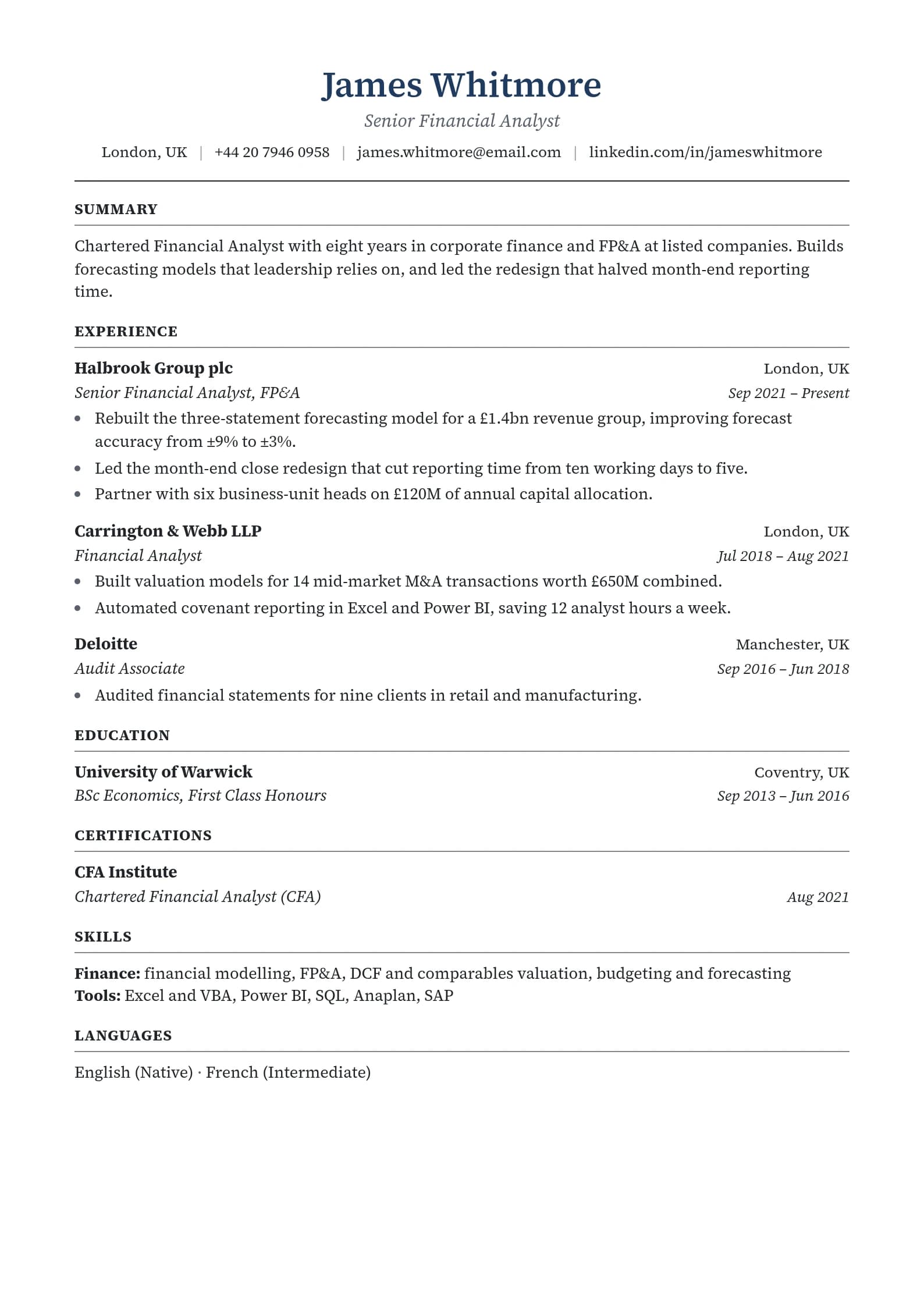
Build a resume that gets interviews
- ATS-optimized templates
- AI-powered writing
- Free to start
No credit card required
To optimize a LinkedIn profile for a job search, work through seven sections: a keyword-rich headline, a clear photo, an About section written as a short pitch, an Experience section broader than your resume, a full Skills list, one Featured item, and Open to Work settings that match your situation. Keep dates and titles identical to your resume, since recruiters compare the two.
Most profiles read like a resume dump: title, company, dates, a few bullets. Recruiters do not browse LinkedIn like a feed. Many search it by typing the words a role needs (a job title, a skill, a tool, a city) and then scan the results. If those words are missing from your profile, you are less likely to show up. LinkedIn does not publish its ranking formula, so treat any "algorithm secret" with suspicion. What you can control is whether the profile is complete, specific and consistent. For what is and is not known about how recruiters search, read how LinkedIn recruiter search works.
The 7 Sections, in Order of Effort
- Headline (up to 220 characters): the most visible line, shown in search results, comments and messages.
- Photo: a simple, recent, clear image.
- About (up to 2,600 characters): your pitch in your own voice.
- Experience: broader and more keyword-rich than your resume.
- Skills: match the skills in your target postings.
- Featured: proof you can show.
- Open to Work and settings: who knows you are looking.
1. Your Headline
By default, LinkedIn fills your headline with your latest job title and employer. That works, but a headline can say more about what you want to be found for.
Formula: [Role] | [Specialty or key skills] | [What you deliver or the audience you serve]
| Before | After |
|---|---|
| Marketing Manager at Acme Corp | Marketing Manager |
| Software Engineer | Full-Stack Engineer |
| Looking for new opportunities | Operations Manager |
| Nurse | Registered Nurse, BSN |
If you have a number you can stand behind (pipeline, cost savings, team size), add it. Do not invent one.
Find your keywords by reading five to ten postings for the role you want. The terms that repeat are the ones recruiters search. The job description analyzer pulls them out in seconds, and the keyword matcher compares them with your resume.
For resume headline wording see resume headline examples.
2. Your Photo
A clear, recent photo of your face in good light, with a plain background and head-and-shoulders framing, is enough. Skip group shots, vacation photos and images that no longer look like you. A phone portrait near a window works. LinkedIn has said profiles with photos get more views and connection requests, but ignore any exact multiplier you see quoted without a source. The practical point is that people click on profiles that look real.
3. About Section
The About section is the one place on LinkedIn where you speak in your own voice. Write it in first person and put your target role and core skills in the first two sentences, since that is what shows in the preview.
Five-part template:
- Hook (one or two sentences): what you do and who you do it for.
- Career overview (three or four sentences).
- Highlights (two or three bullets with real results).
- What you're looking for (one or two sentences).
- How to reach you (one sentence).
Example (marketing professional, fictional):
I help B2B software companies turn content into pipeline. Over eight years I have built and led content and demand teams from seed stage to public companies.
At TechCorp I built the content function from scratch, producing the blog, webinars and case studies that sales used in enterprise deals. Before that I ran demand generation at StartupXYZ, where I built the email nurture program for trial users.
Highlights:
- Built a content engine that became the top source of organic leads
- Launched account-based campaigns aimed at large enterprise accounts
- Cut acquisition cost by shifting spend to organic channels
I'm looking for senior marketing leadership roles at B2B software companies, especially in fintech, healthcare and security. Reach me here or at firstname@email.com.
Replace the highlights with real results from your own work. Use most of the character limit if it helps you cover your keywords, but never pad.
4. Experience: Match the Facts, Vary the Depth
Your resume is built for one job. LinkedIn is built to be found for several.
What must match your resume: employer names, job titles and dates. A mismatch makes a recruiter wonder which one is true. Recruiters often check both.
What can differ: depth and breadth. LinkedIn can include more context, more keywords and more projects.
Resume bullet (tailored, tight):
Managed Q3 product launch for mobile app redesign with engineering and design.
LinkedIn version (broader, keyword-rich):
Led cross-functional product launches for B2B and mobile products, partnering with engineering, design and marketing. Managed the product lifecycle from discovery through post-launch analysis, including the Q3 mobile app redesign.
A short company description helps if the employer is unknown: "TechCorp (Series B B2B software company)."
How LinkedIn and your resume should differ
| Element | Resume | |
|---|---|---|
| Headline or title | Matches the job you are applying for | Broader, covers several target roles |
| Summary | Two or three sentences tailored to the role | A few short paragraphs about your background and goals |
| Experience | Tight, results-focused bullets for this job | Longer, with context, projects and skills |
| Skills | Six to ten matching the posting | Up to 50 covering your range |
| Education | Degree, school, relevant details | Coursework, projects, activities, honors |
| Recommendations | Not included; references on request or separate | Visible social proof from managers and peers |
| Tone | Formal, concise | First person, conversational but professional |
| Contact details | Email and phone | Message button and profile link |
The rule: facts identical, depth different.
5. Skills
LinkedIn lets you list up to 50 skills. Add the ones that appear in your target postings and that you can discuss in an interview. Recruiter searches can filter on skills, so a missing skill can keep you out of those filtered results. Pin your top three to the skills that best match the role you want, not the ones with the most endorsements.
Endorsements add some social proof, so ask a few colleagues who have seen the work. Skills you cannot back up in an interview do more harm than good.
6. The Featured Section
Featured sits under About and lets you pin work you can show. Most people leave it empty, which makes any item stand out. Options: a portfolio link, a certification, a case study, a presentation, a published article, a GitHub repository or a design portfolio. Even one item shows there is real work behind the titles.
7. Open to Work and Privacy Settings
On your profile, choose Open to then Finding a new job, and set job titles (three to five variations), locations, work types and start date.
- Recruiters only: designed to show your status to people using LinkedIn's recruiter tools. LinkedIn says it tries not to show it to recruiters at your current company, but does not guarantee it.
- All LinkedIn members: adds the green #OpenToWork frame to your photo for everyone to see.
If you are employed and want discretion, recruiters-only is usually the better choice. If you are openly searching or between jobs, the public frame is fine. Be specific with titles: "Product Manager" beats "Manager."
New Grads, Career Changers and Gaps
New grads: education is your strongest section, so expand it on LinkedIn with coursework, projects, honors, leadership roles and study abroad. On your resume keep it tight. Include internships, class projects and volunteering as real experience. Certifications, including ones in progress, belong on LinkedIn.
Career changers: make your headline and About speak to the role you want next, and mention your background as an asset. See the career change resume guide.
Gap or layoff: do not put "laid off" in your headline. Say what you want next. See laid off or fired and returning after a career break.
Cross-Check Both Documents
Once a month, and before you apply to anything, compare:
- Employer names and job titles
- Start and end dates
- Degree and graduation date
- Major tools and certifications
- The story in your headline vs your resume summary
Small mismatches can look like carelessness or worse. Fix them before a recruiter finds them.
Things That Belong on LinkedIn but Not Your Resume
Recommendations, a full list of courses and certifications, publications, media and volunteer experience, and the longer version of projects. What belongs on your resume but not LinkedIn: your phone number, street address, references and role-specific tailoring.
Activity Helps, Within Reason
You do not need to post thought leadership. Commenting thoughtfully on posts in your field, sharing an article with a short take and congratulating colleagues keep you visible. Your profile shows recent activity, and people who see your comment may click through.
The Short Version: Do These in Order
- Rewrite your headline with the role, specialty and result.
- Add a clear photo.
- Write the About section with the five-part template.
- Expand each recent job with broader keywords and real results.
- Fill the skills list from target postings and pin your top three.
- Add one Featured item.
- Set Open to Work to match your situation.
When you are ready to apply, build a tailored resume with ResumeFast. Building is free, and your first PDF or Word download is free. For a message to send recruiters, see cold messages to recruiters on LinkedIn, and for networking basics see networking for introverts.
Frequently Asked Questions
How often should I update my LinkedIn profile?
When you change jobs, finish a certification or complete a big project. Small updates to a headline, skills or About section every few months keep it accurate and show you are active.
Should my LinkedIn headline match my current title?
Not necessarily. It can name your target role and specialty. Just keep your Experience section's titles identical to your resume.
Should I use the Open to Work banner?
If you are openly searching, yes. If you are employed and want to be discreet, use the recruiters-only setting.
Does LinkedIn optimization work?
It makes you easier to find for the searches you want, and it makes a recruiter's first look at you convincing. It does not replace applying, referrals or a tailored resume.
Should my About section match my resume summary?
No. The resume summary is tailored to one role. The About section is broader and in your own voice.
Can I list a job on LinkedIn that is not on my resume?
You can, but recruiters will notice. If a job is left off your resume for space, make sure your resume still tells a consistent story.
Is LinkedIn Premium worth it?
It can help for a few months of active searching if you want to message recruiters directly. It is optional, and a complete profile and referrals matter more.
Related Reading
Your resume is your first impression. Make it count.
Build an ATS-optimized resume that gets read, with AI help on every section.
No credit card required. Your first PDF or Word download is free; after that, Pro is $6.95 a month.
Continue Reading
View all articles
Two Weeks Notice Letter: 6 Samples You Can Copy

How to Spot a Fake Job Posting: 2026 Scam Red Flags

Should You Apply for Jobs You're Not Qualified For?

Job Search Strategy Guide: How to Find a Job in 2026

Walk Me Through Your Resume: Sample Answers That Work

Job Hopping on a Resume: How Short Tenures Read in 2026
Build a resume that gets interviews
Ready to build your resume?